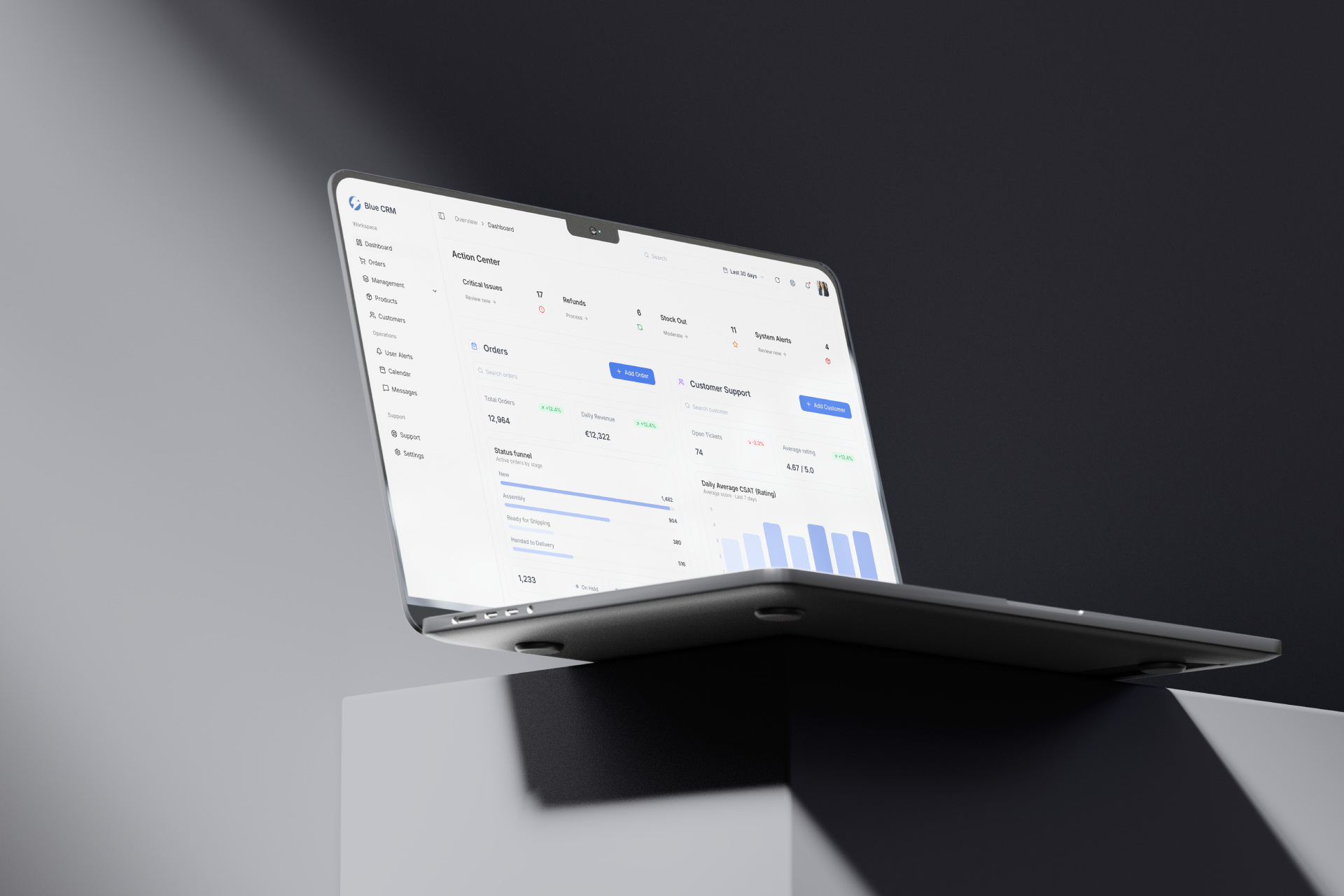
Enterprise-grade e-commerce operations CRM.
Role
Product Designer
Platform
Web app
Status
Live product
Outcome
Used by real users
Overview
Blue CRM is an enterprise-grade e-commerce operational ecosystem designed to help teams manage fast-moving orders, customer context, warehouse workload, support conversations, product data, and operational planning in one structured workspace.
The product challenge was not simply to display more data. E-commerce operators already deal with too much fragmented information. The goal was to reduce cognitive load, surface operational blockers earlier, and make warehouse-to-customer workflows easier to scan and act on.
Problem
E-commerce operators manage hundreds of fast-moving orders across fragmented tools, causing extreme cognitive overload. Critical operational blockers – such as warehouse backlog, delayed handovers, refund requests, system alerts, and stock-outs – can get buried under dense, unprioritized data noise, directly impacting fulfillment speed and customer satisfaction.
Operations managers need to understand the current order and warehouse state quickly.
Support agents need customer and order context next to communication.
Product teams need clean product data management without losing operational visibility.
Managers need alerts and dashboards that support action, not decorative reporting.
Teams need consistent patterns across orders, products, customers, calendar, and messaging.
Discovery
The discovery phase focused on mapping the operational flow from warehouse workload to customer communication. Instead of treating the CRM as a static database, I looked at how operators move through daily work: monitoring order status, identifying bottlenecks, reacting to stock issues, coordinating handovers, updating product data, and resolving customer requests.
Jobs-to-be-done
This helped frame Blue CRM as an operational workspace rather than a simple contact database. The product needed to connect dashboard monitoring, order work, product management, customer support, calendar planning, and messaging into one system.
Competitive analysis
I reviewed CRM, e-commerce admin, order management, warehouse operations, and support tooling patterns to understand how complex operational data is usually organized. The recurring problem was not a lack of information, but weak prioritization: many tools show the data, but do not clearly separate urgent blockers from everyday operational context.
What I looked for
This shaped the product direction: Blue CRM should not become another dense admin panel. The interface needed a predictable layout system, strong information hierarchy, and clear separation between action, monitoring, and context.
Product strategy
Conventional bar charts can be too abstract for live operations. I replaced them with a proportional status funnel that instantly visualizes warehouse workload and current order backlog, helping managers spot fulfillment bottlenecks quickly.
I positioned a high-priority Action Center at the top of the workspace to separate critical operational threats – such as critical issues, refunds, stock-outs, and system alerts – from day-to-day metrics. The goal was to make urgent issues impossible to miss.
The communications hub was structured around context-first support. Customer details, lifetime value, total orders, last order, tags, files, and internal notes sit next to the conversation, so support agents can resolve issues without switching tabs.
I applied a rigorous 8px layout grid, predictable left-aligned table architecture, soft card surfaces, and a muted Slate Blue analytical color scheme. High-intensity blue is reserved for primary actions, while the rest of the UI stays calm and scannable.
Hypotheses
If critical operational alerts are separated from daily metrics, managers can respond to high-risk issues faster.
Design response
Action Center positioned at the top of the dashboard for critical issues, refunds, stock-outs, and system alerts.
If warehouse workload is shown as a proportional status funnel, managers can understand backlog distribution faster than with abstract charts.
Design response
Real-time order status funnel showing active stages such as New, Assembly, Ready for Shipping, and Handed to Delivery.
If order detail connects fulfillment, payment, items, customer, address, and activity, operators can handle issues without jumping between tools.
Design response
Order detail page with fulfillment timeline, item list, payment summary, customer panel, address details, and activity log.
If customer telemetry is visible next to messaging, support agents can resolve issues without switching tabs.
Design response
Three-panel communications hub with inbox, chat, customer details, LTV, tags, shared files, and internal notes.
If product management is broken into structured sections, teams can manage complex product data with less friction.
Design response
Product edit page with general information, supplier data, categories, dimensions, media, and variations.
Scope
Blue CRM was designed as an operational ecosystem rather than a simple contact database. The product needed to connect order tracking, warehouse workload, product management, customer support, calendar planning, and daily operational actions.
Core scope
Intentionally lightweight
Operational dashboard
The Action Center sits at the top of the workspace and isolates high-priority issues such as critical incidents, refunds, stock-outs, and system alerts. Below it, the status funnel and order table provide operational context without competing with urgent blockers.
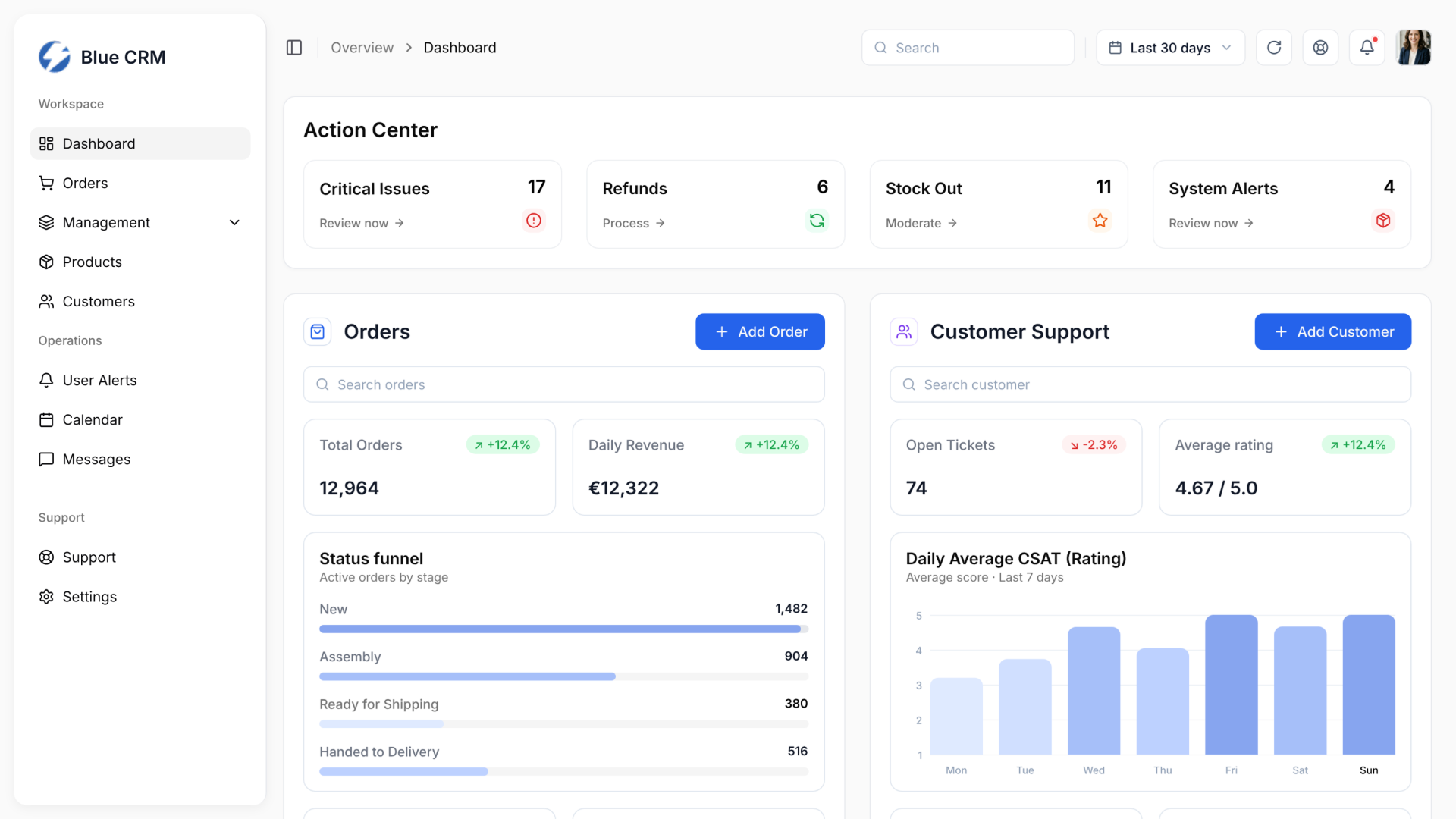
The Action Center separates urgent operational blockers from regular dashboard metrics.
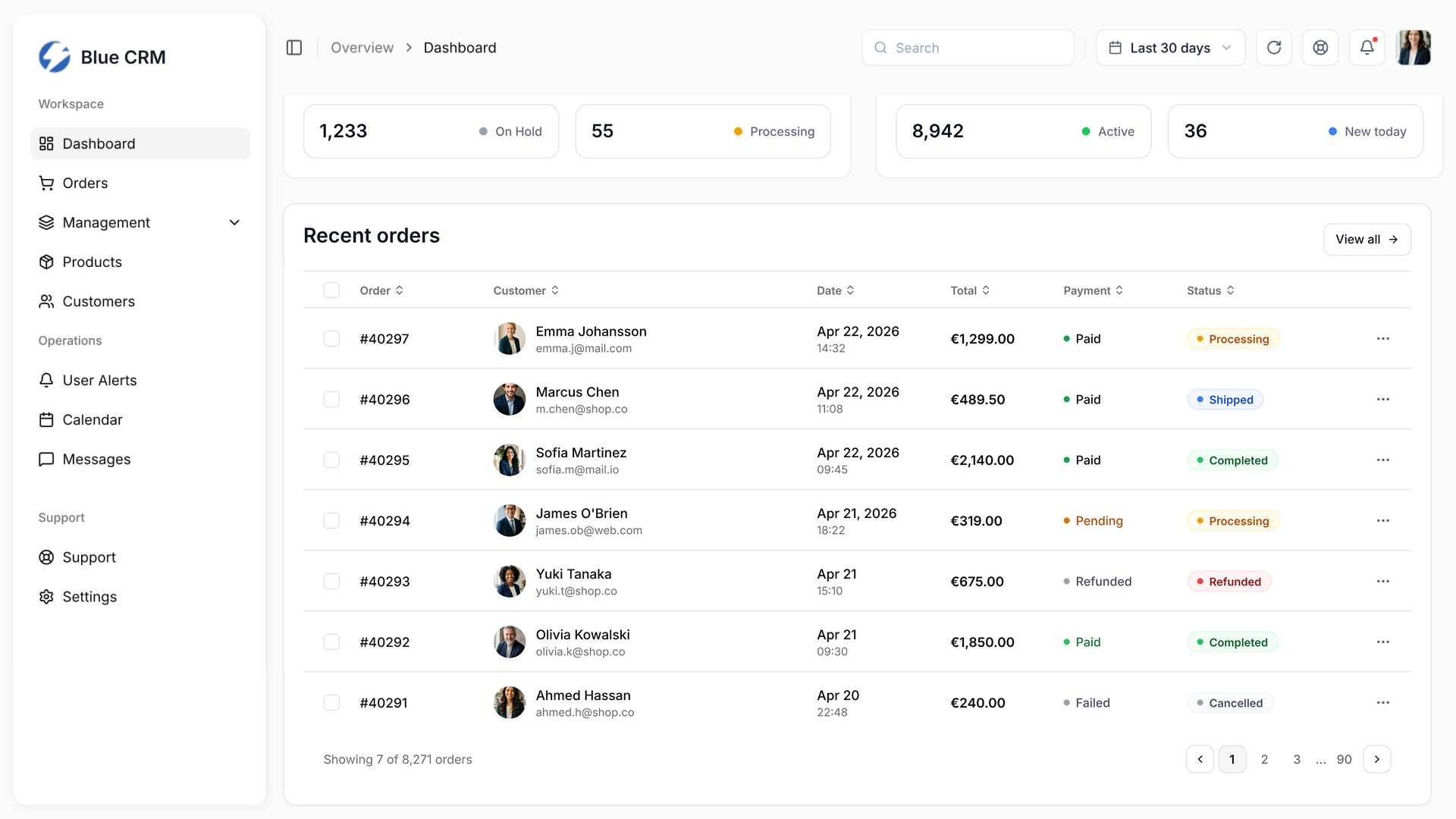
The recent orders table keeps high-volume operational data scannable through consistent alignment and status treatment.
Order operations
The order surfaces are built so operators can handle fulfillment and create new orders without switching tools. Fulfillment, items, payment, customer, and address sit together. The create-order layout keeps composition and totals visible side by side.
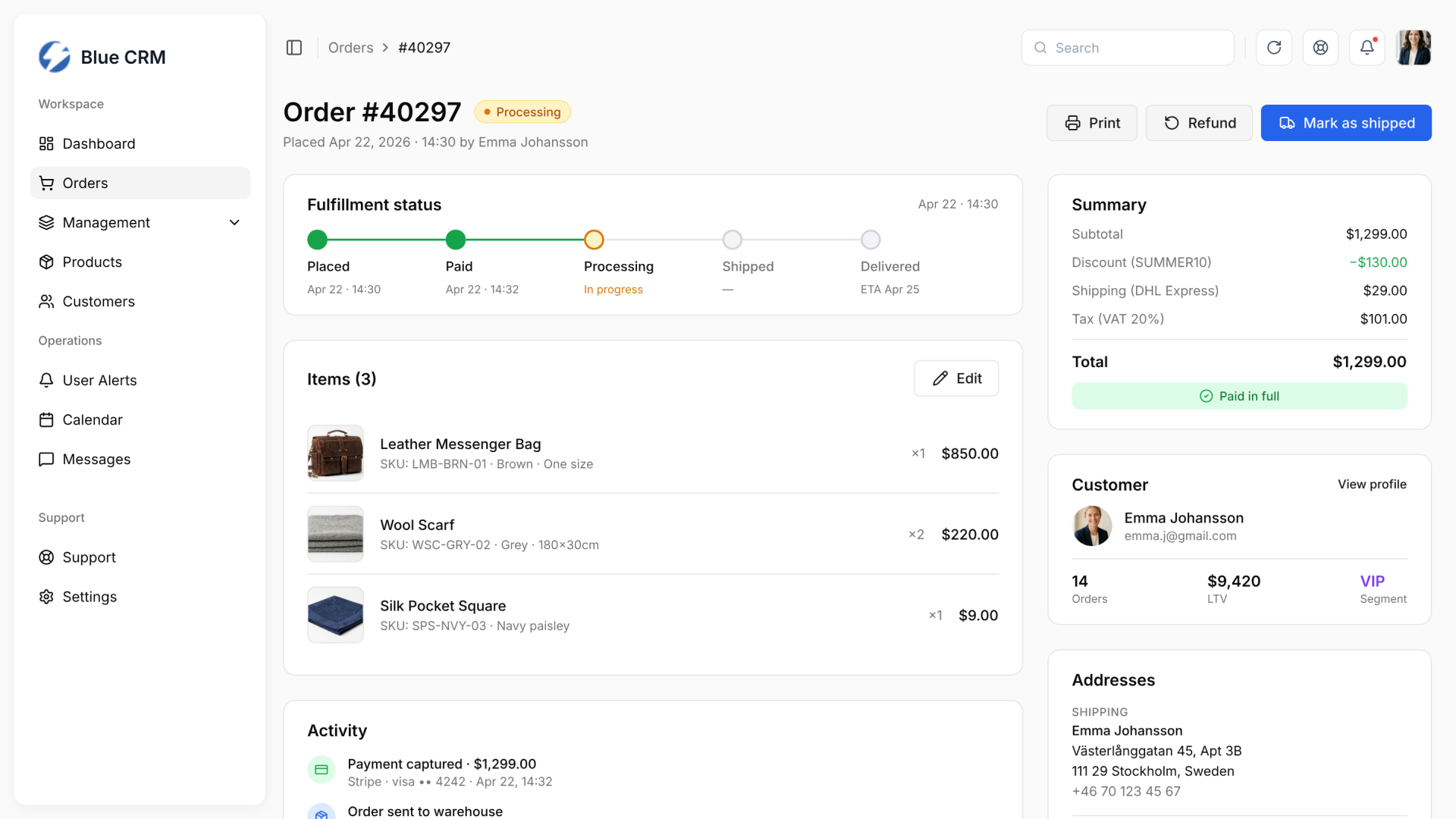
The order detail page connects fulfillment progress, payment, items, customer context, and address data.
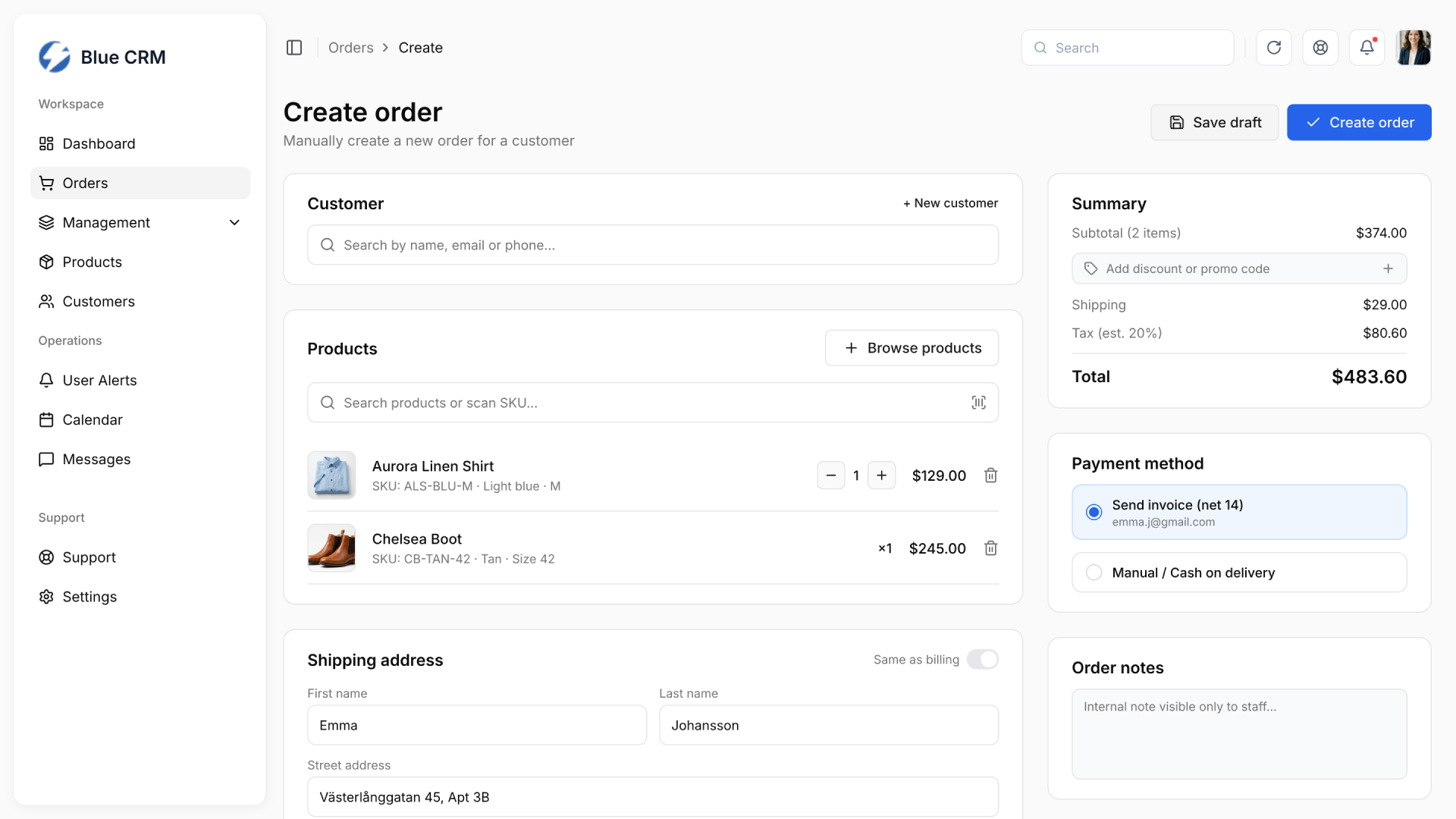
The create order flow keeps order composition and payment summary visible side by side.
Product management
Product data can become messy quickly in e-commerce operations. The editor groups general information, supplier data, categories, dimensions, media, and variations into predictable sections with consistent form patterns.
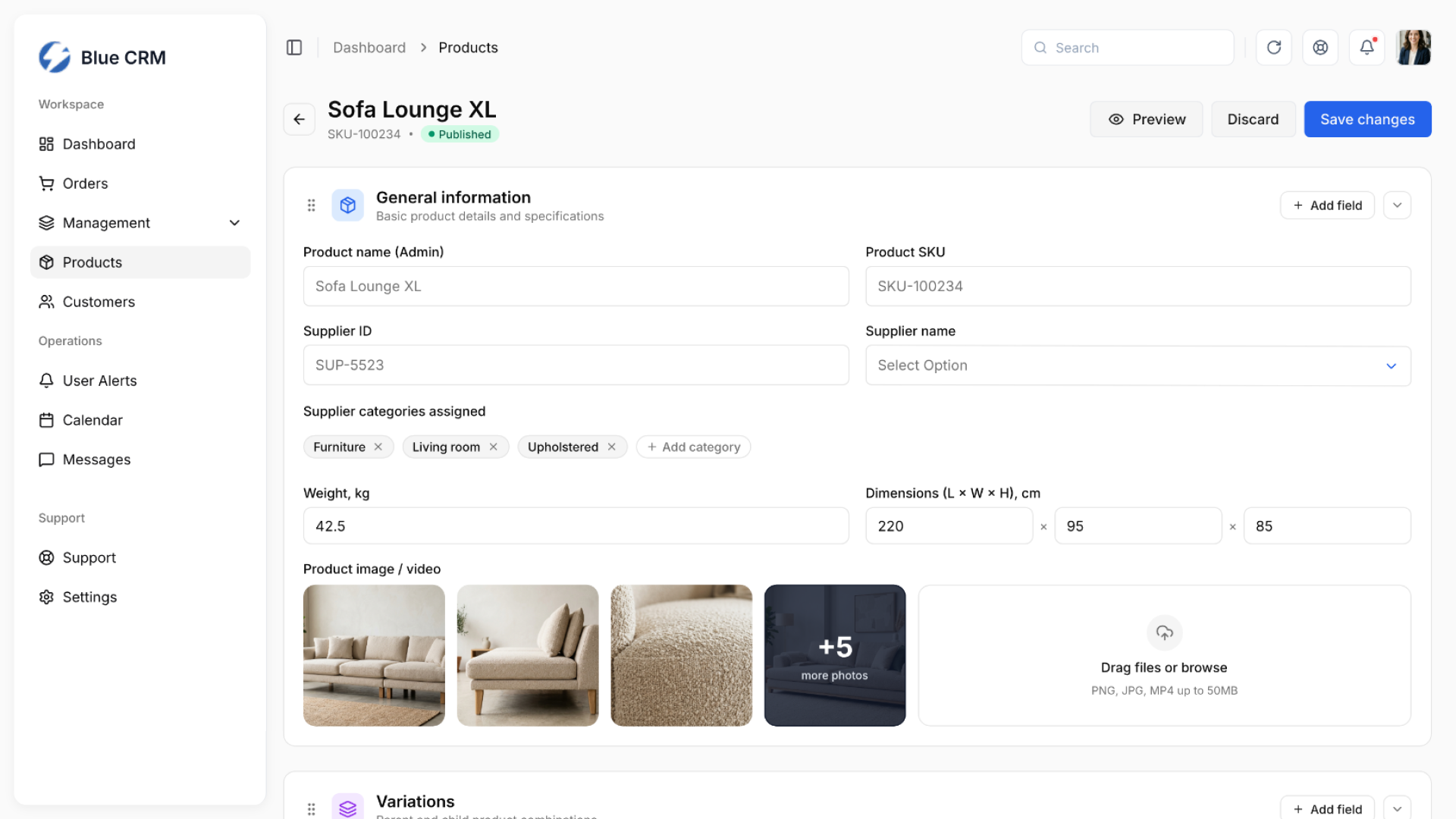
Product editing organizes dense product data into structured sections with clear actions.
Customer and communication
The communications hub keeps customer details, lifetime value, total orders, last order, tags, shared files, and internal notes visible next to the conversation. Creation flows stay modal-based so users can add records without losing their workspace.
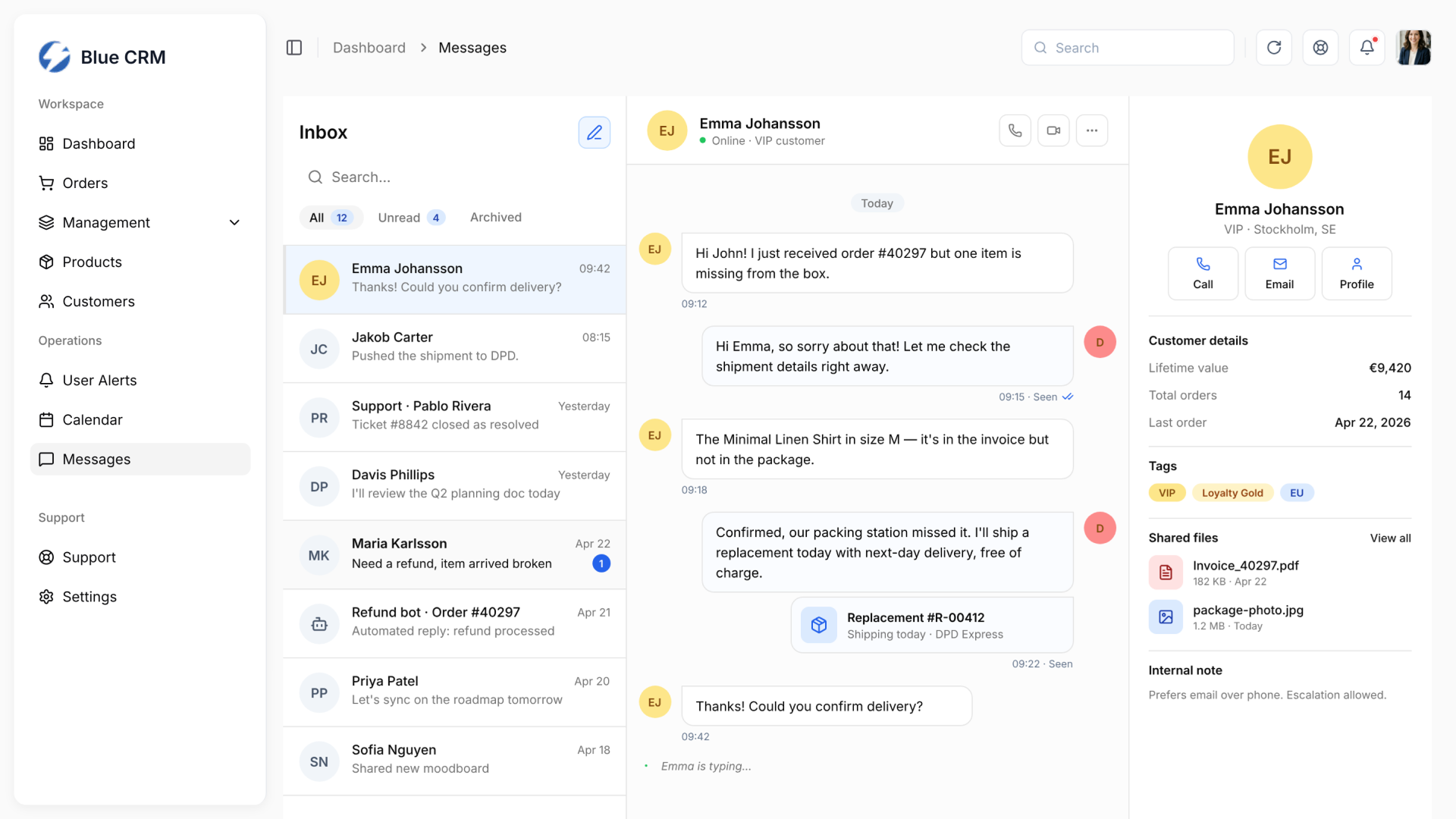
Context-first messaging reduces tab-switching by placing customer telemetry next to the conversation.
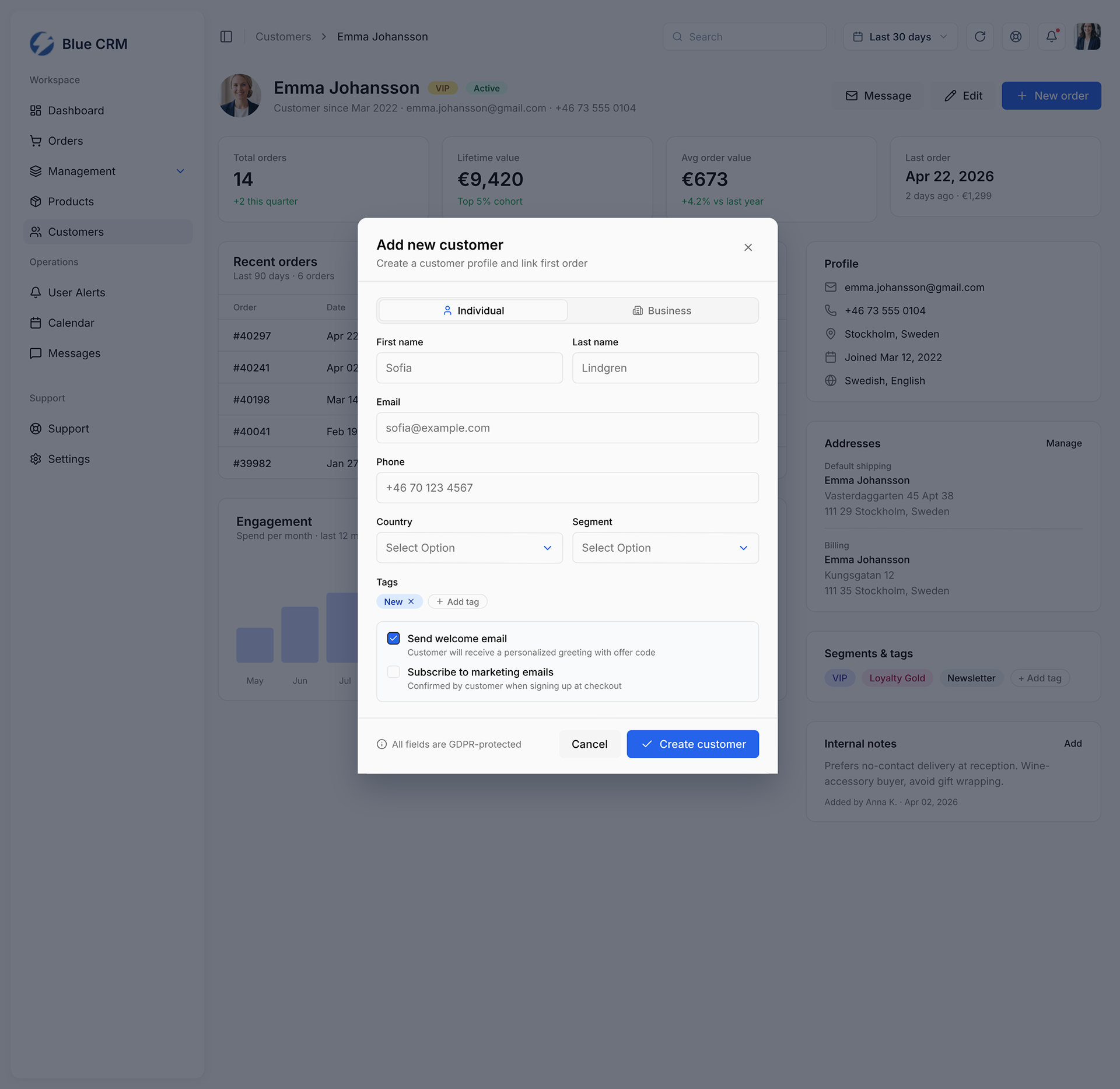
The add customer modal keeps creation focused without leaving the customer profile workspace.
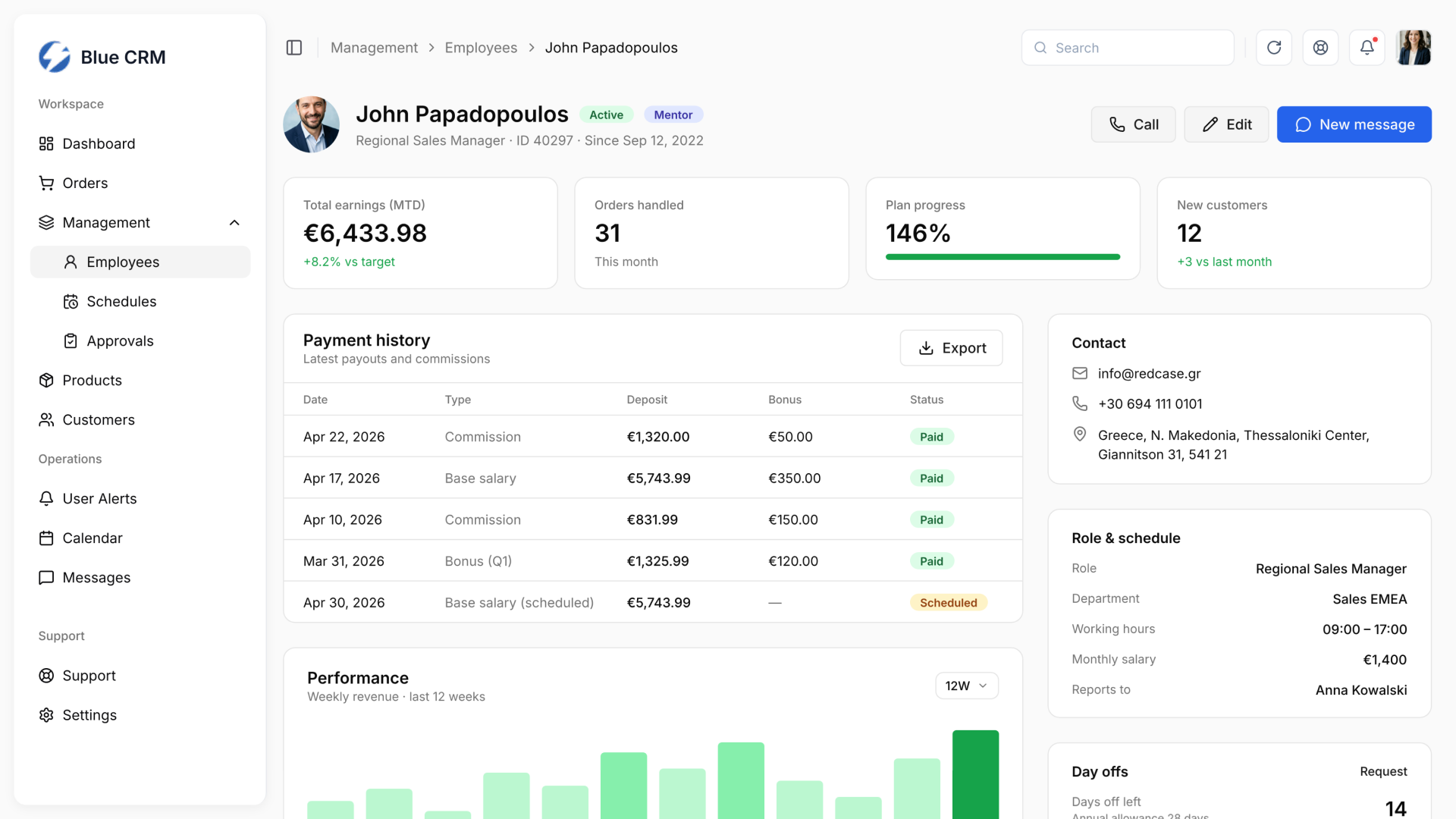
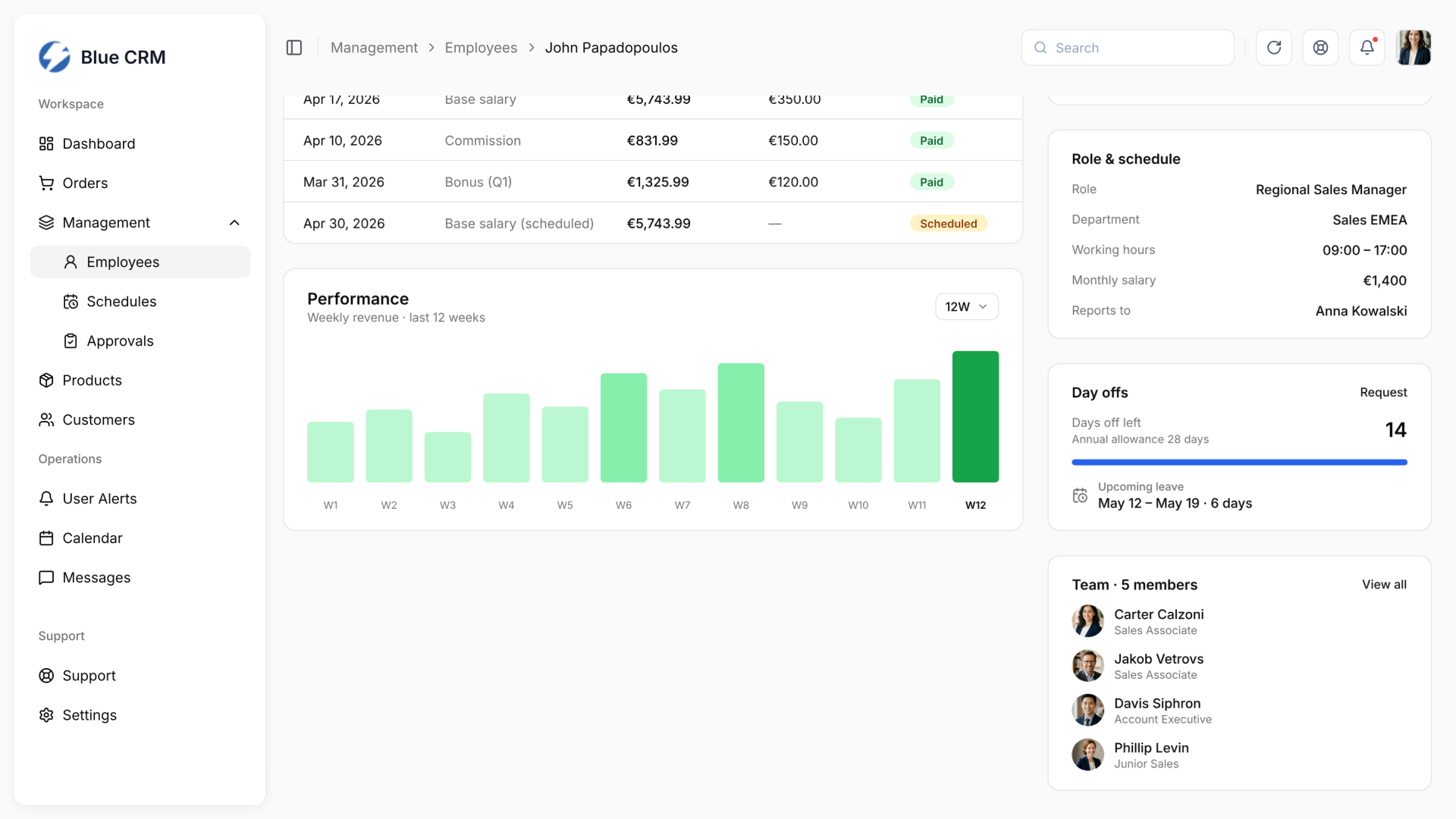
Team profiles extend the same visual system to internal operations: performance, schedule, payment history, and contact context.
Calendar and planning
The calendar gives teams a shared view of operational events: standups, shipments, campaign launches, warehouse inventory, planning deadlines, and reviews – reusing the same visual system as the rest of the product.
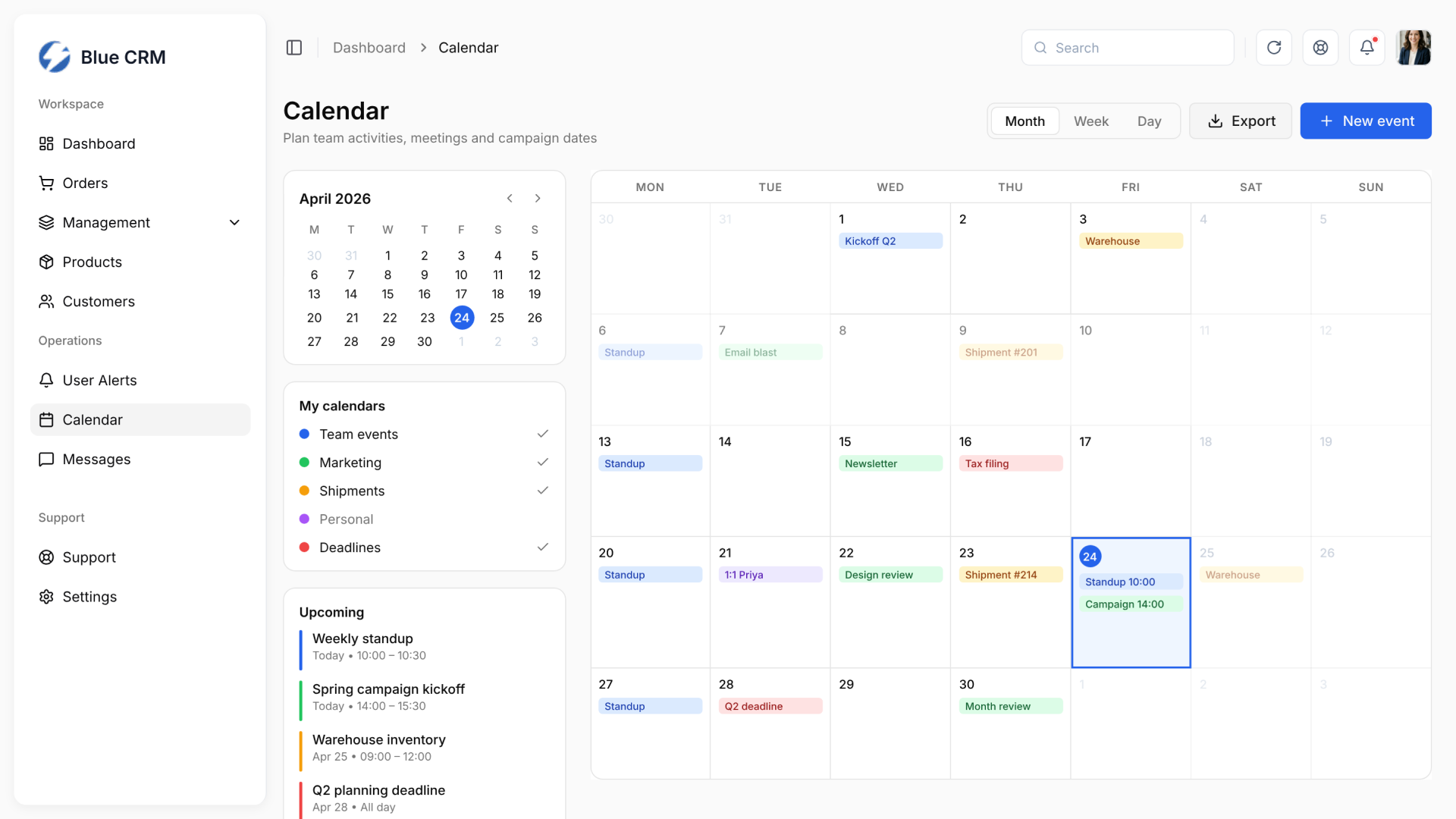
The calendar connects team events, shipments, marketing, and deadlines in one planning view.
Outcome
Blue CRM is a live product used by real users. The final design defines an enterprise-grade e-commerce operations workspace that connects order visibility, warehouse workload, product management, customer context, support communication, and daily operational actions in one system.
The main product decision was to reduce cognitive load by separating urgent alerts from analytical context and keeping customer, order, and product information close to the workflows where decisions happen.
Focus
In closing
Blue CRM is a live e-commerce operations CRM designed to reduce data chaos, lower cognitive load, and connect order management, product data, customer support, and planning into one operational system.