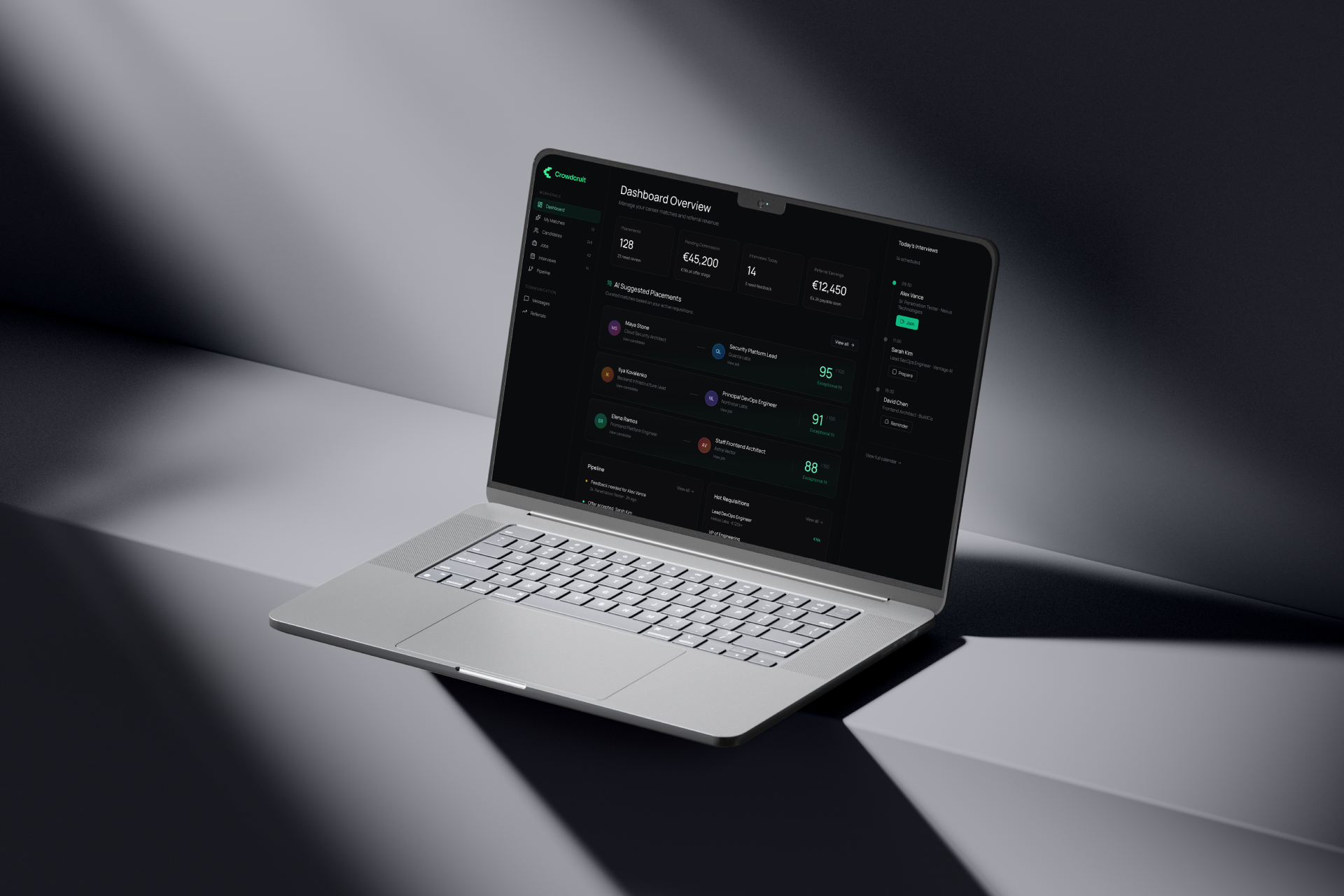
AI hiring platform for recruiters, candidates, and companies.
Role
Product Designer
Platform
Web app
Status
Launched MVP
Outcome
Live · Generating revenue
Overview
Crowdcruit started as an MVP challenge: define the core product experience for a three-sided AI hiring platform and bring it to production. The goal was to move beyond static screens and design the workflows required for a usable, revenue-generating product.
Crowdcruit is built around AI-generated candidate-role matches. The challenge was not only to show a match score, but to design the workflows around it: recruiters need to understand and propose candidates, candidates need control over profile access, and companies need a clear way to review, interview, and give feedback.
Problem
Hiring workflows are often fragmented across sourcing tools, spreadsheets, candidate databases, calendars, and feedback forms. AI matching can generate recommendations, but without clear reasoning, consent, and next actions, those recommendations are hard to trust or act on.
Recruiters need an actionable workspace for candidate-role matches.
Candidates need visibility and control over who can access their profile.
Companies need a focused review and feedback workflow.
Discovery
Before moving into interface design, I focused on understanding the core workflow that the MVP needed to support. The product had to work for three different sides at once: recruiters, candidates, and companies.
Jobs-to-be-done
This helped define the MVP around one core loop rather than a large ATS-like product: match → access → review → interview → feedback.
Competitive analysis
The competitive landscape was still emerging. Most products I reviewed were solving only parts of the workflow: sourcing, applicant tracking, AI screening, scheduling, or talent CRM. There were fewer direct references for a three-sided workflow where recruiters, candidates, and companies all had separate but connected workspaces.
What I looked for
This shaped one of the main product decisions: Crowdcruit should not look like another ATS. The MVP needed to focus on the handoff between roles – from recruiter match, to candidate access approval, to company review and feedback.
Hypotheses
If recruiters see match reasoning next to the candidate-role pair, they can act on AI recommendations with more confidence.
Design response
Match detail page with score, candidate and role signals, blockers, and a contextual proposal panel.
If proposal creation happens inside a right-side panel, recruiters can move candidates forward without losing match context.
Design response
Propose Candidate flow inside the contextual panel.
If candidates can review what a company will see before sharing their profile, the product can build trust without slowing down the hiring loop.
Design response
Access Request flow with shared item controls and a Manage Access state.
If companies receive candidates as role-specific proposals instead of raw profiles, they can make faster and clearer decisions.
Design response
Company Candidate Proposal page with fit reasoning, risks, and actions like Request Interview or Add Feedback.
If feedback is structured around decision and next step, it becomes useful product data instead of a loose note.
Design response
Add Feedback flow with overall decision, skill feedback, hiring note, and recommended next step.
Scope
The goal was not to design a full recruiting suite. The first version had to support the smallest complete hiring loop that could create value in production.
MVP included
Intentionally out of scope
Secondary areas such as advanced analytics, billing, deep CRM features, and complex automation were intentionally kept outside the first scope.
Approach
I structured the MVP around three role-specific workspaces instead of one generic hiring dashboard. Each workspace uses the same visual system and interaction patterns, but the content and actions are specific to the user's role.
Recruiter workspace
Finds and proposes candidate-role matches.
Candidate workspace
Controls which companies can access the profile.
Company workspace
Reviews candidates, requests interviews, and gives feedback.
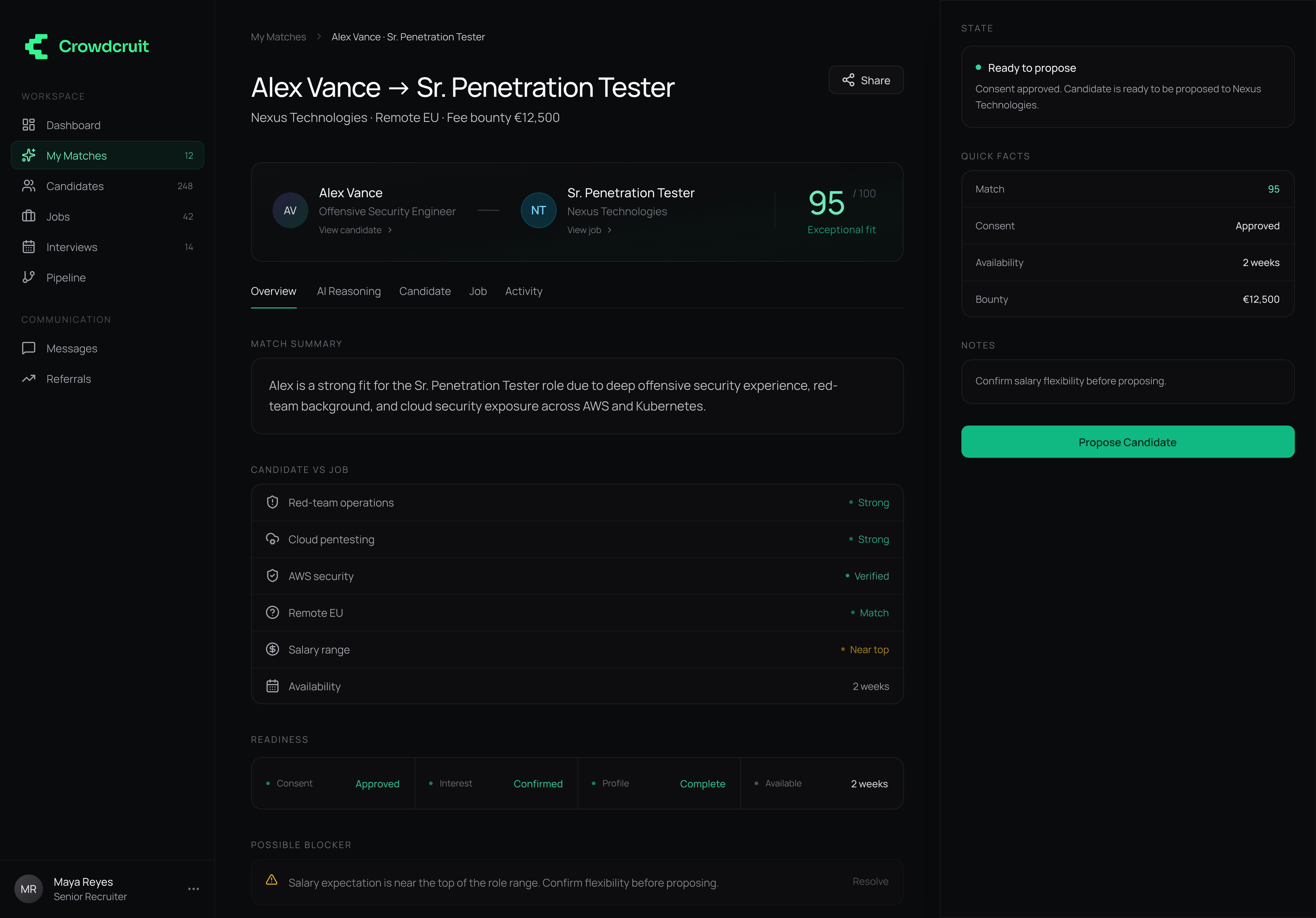
Recruiter – match detail
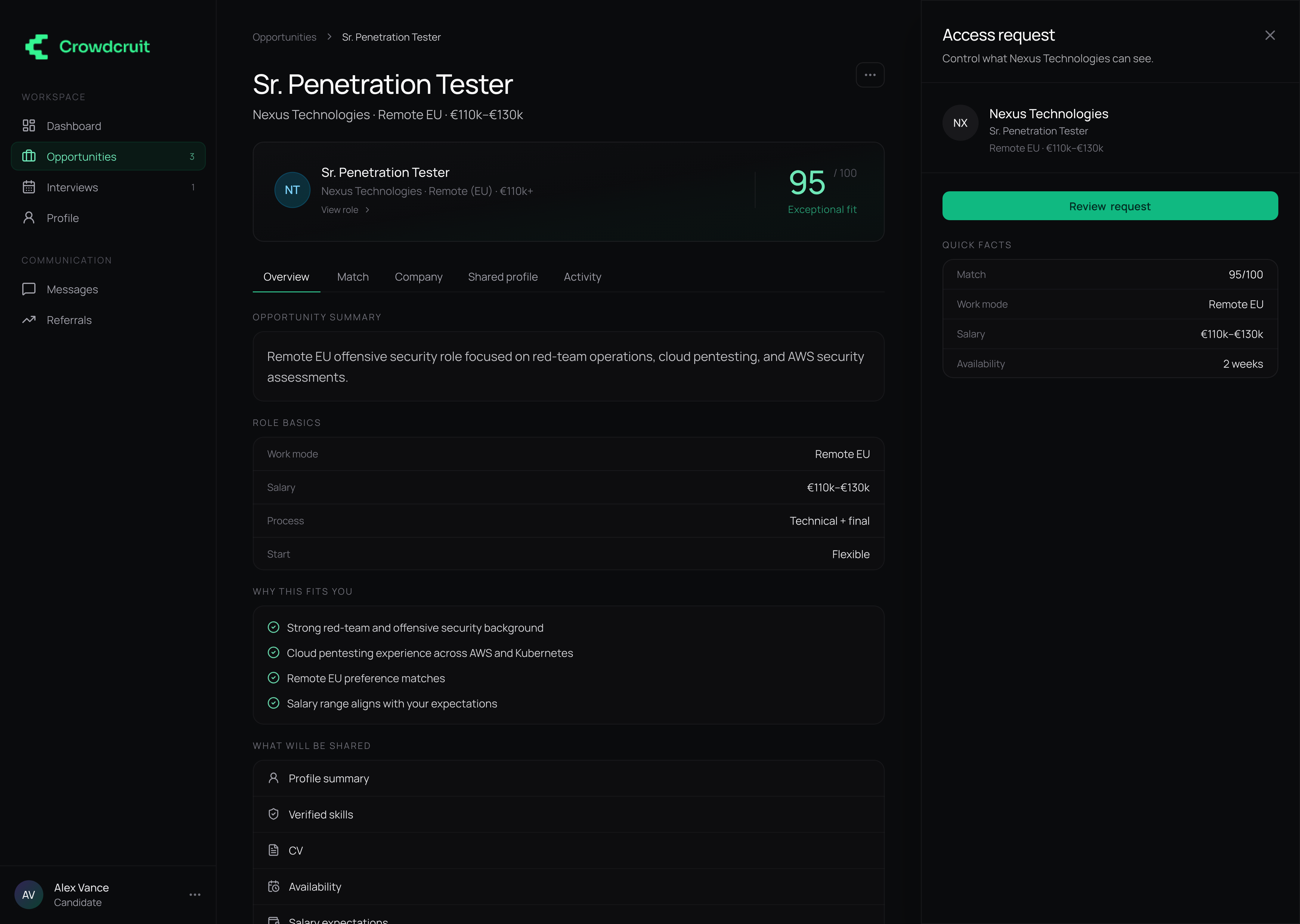
Candidate – access request
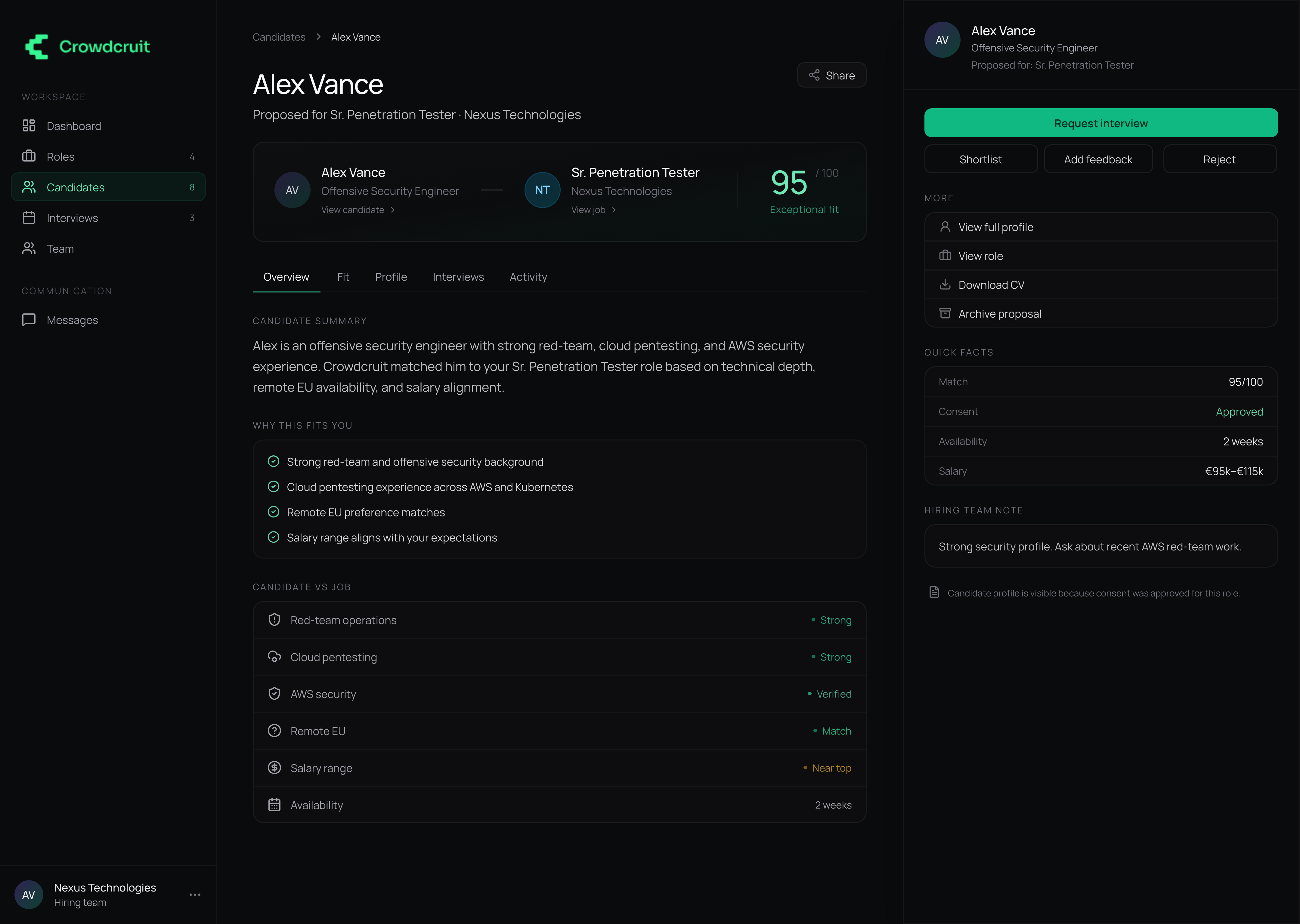
Company – candidate proposal
Instead of designing one generic dashboard, I separated the experience into three workspaces with shared visual patterns and role-specific actions.
Recruiter workspace
The recruiter experience is centered on one object: a candidate-role match. The interface combines candidate context, role context, match score, readiness, risks, and the next best action.
Match detail gives the recruiter a focused view of the candidate-role fit, risks, readiness, and the next best action.
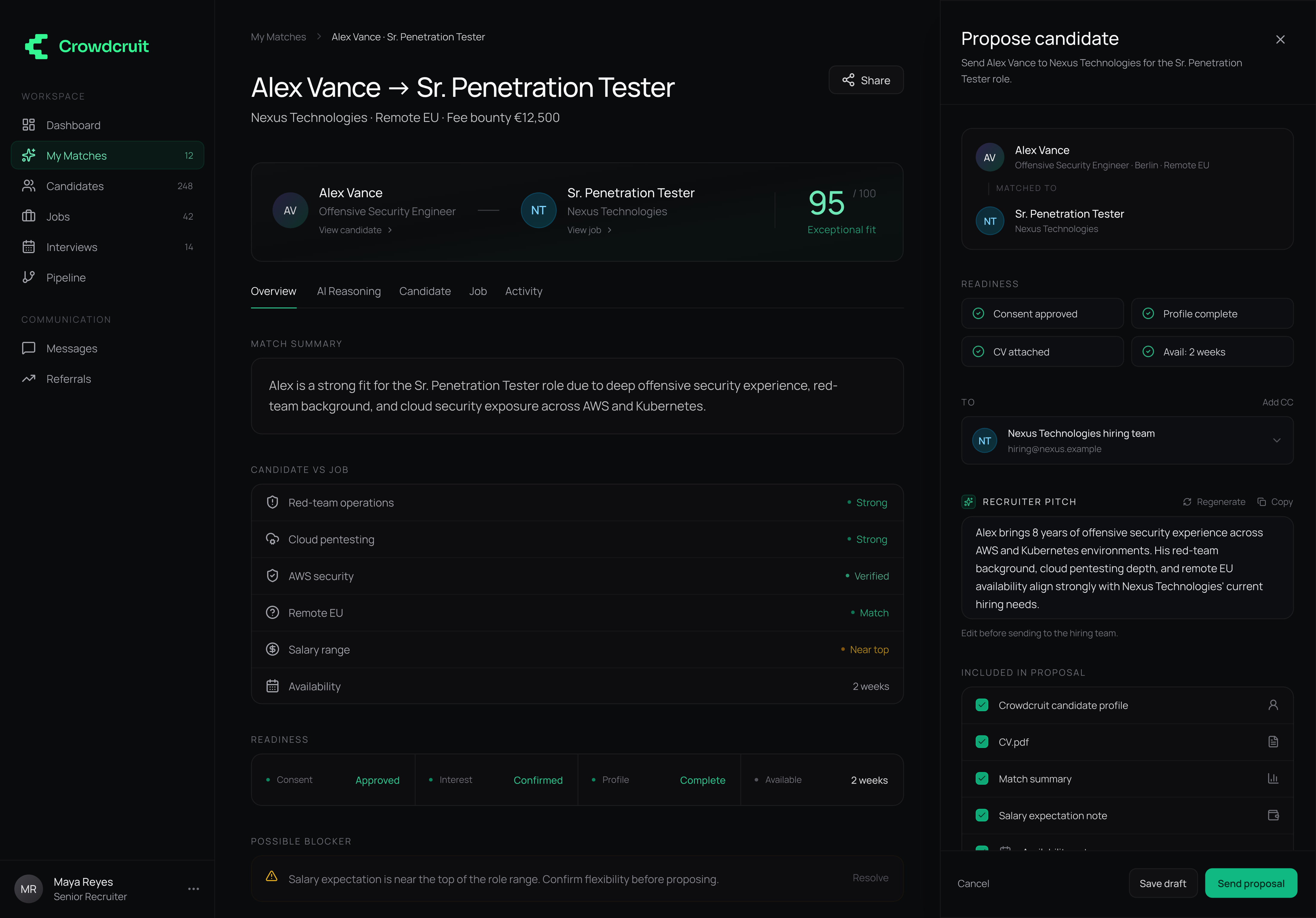
Keeping proposal creation inside the right panel lets recruiters act without losing the match context.
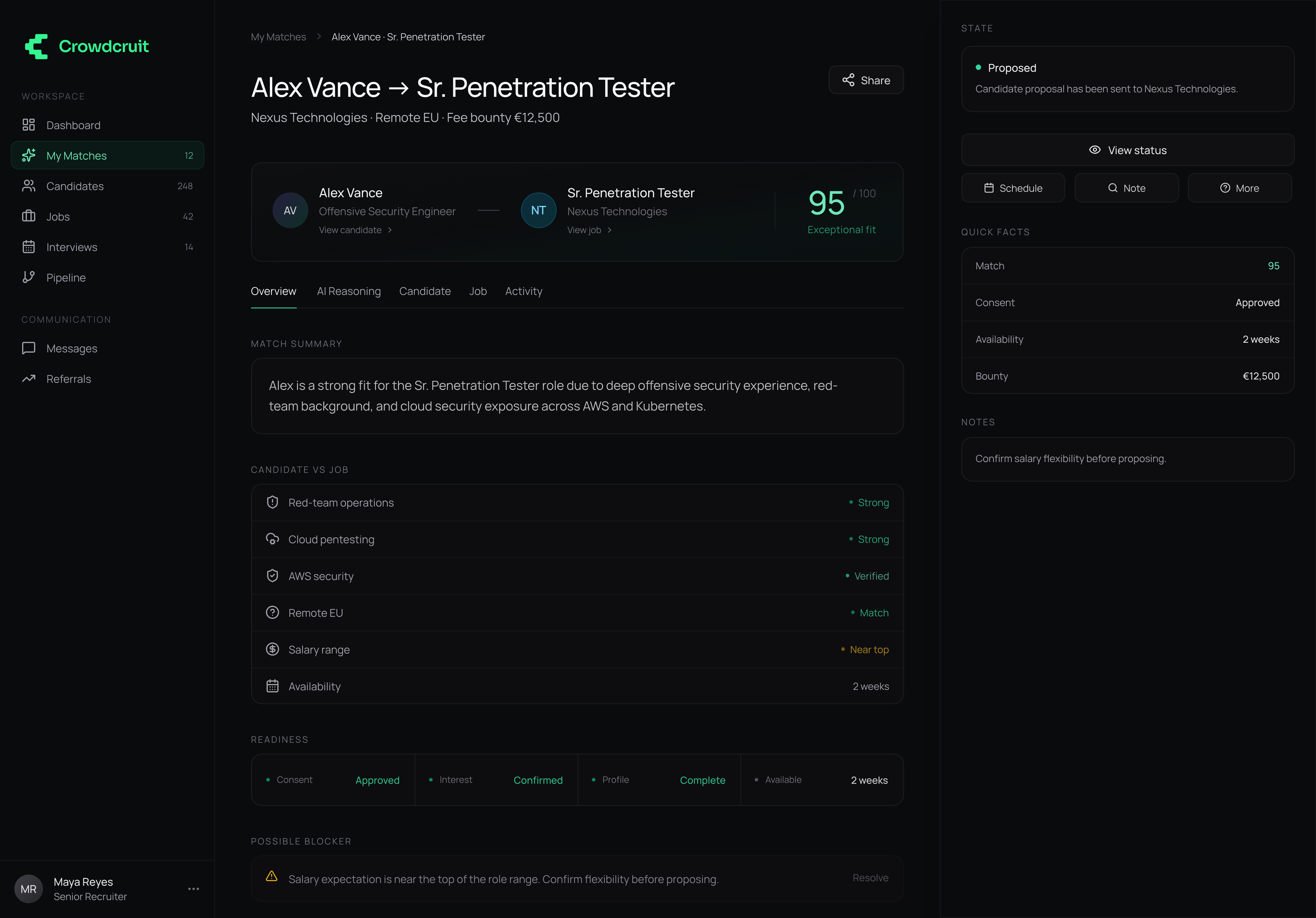
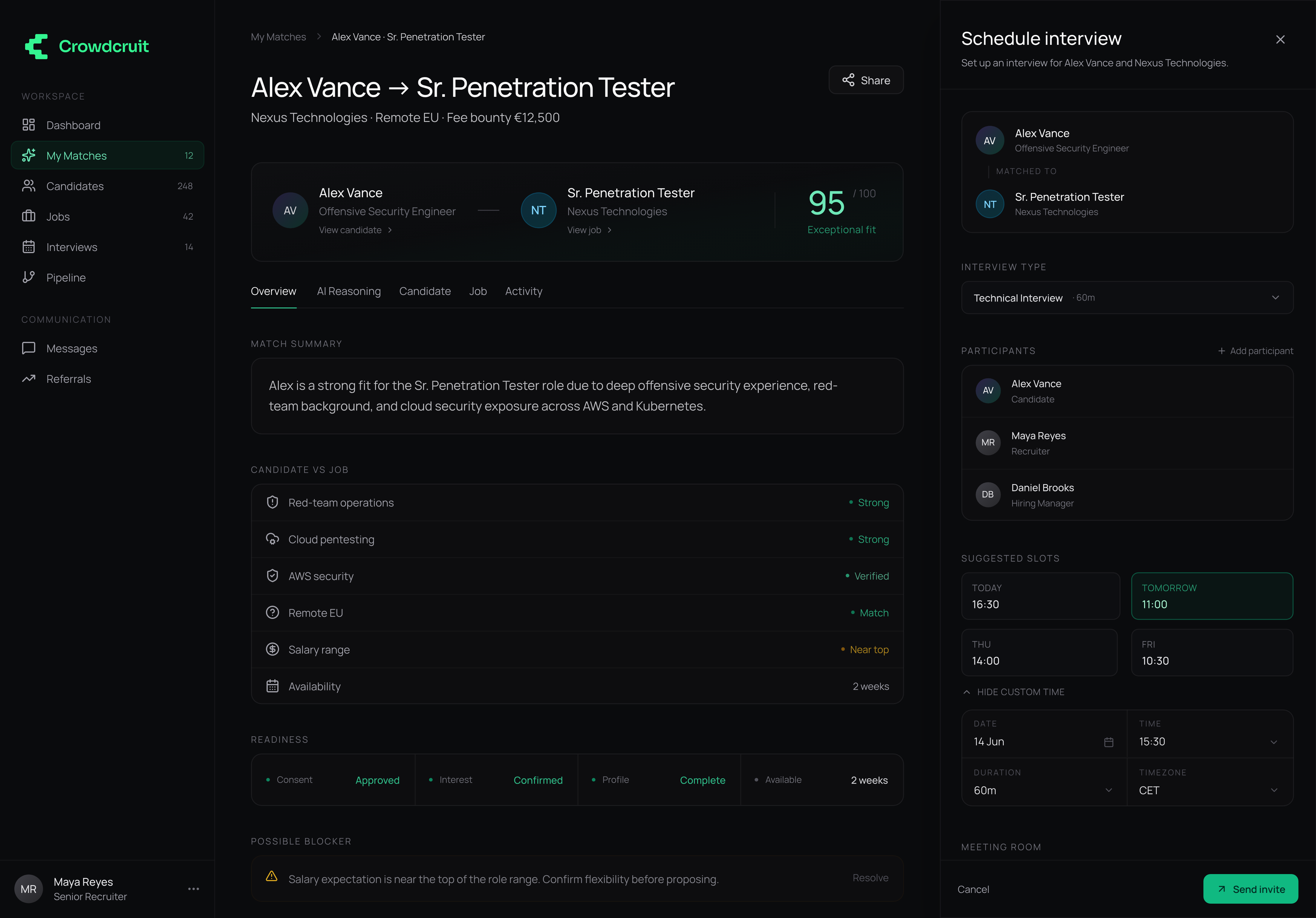
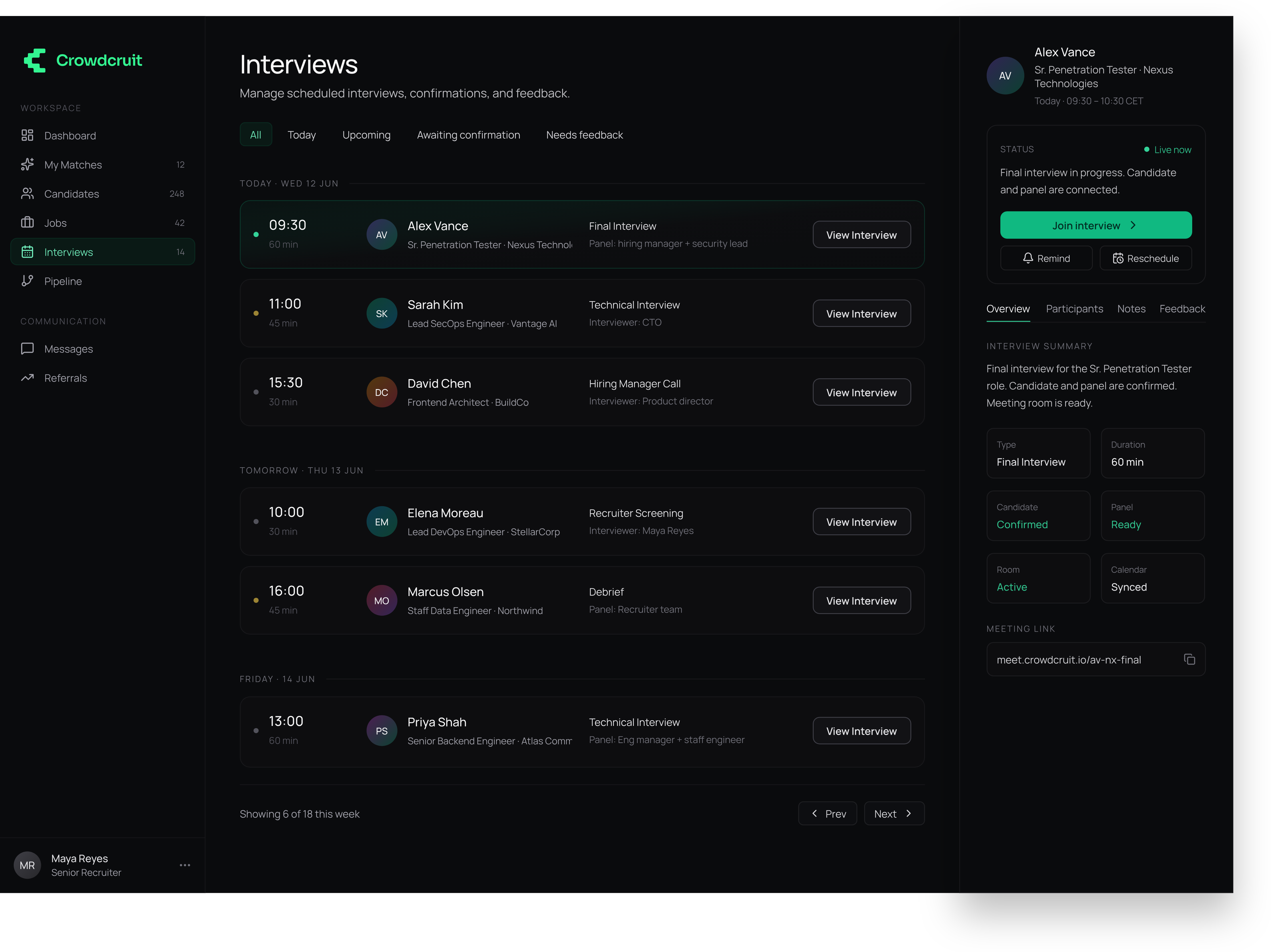
Scheduling follows the same contextual panel pattern: participants, suggested slots, meeting room, and invite message stay attached to the match.
Candidate workspace
One of the key MVP decisions was to avoid treating candidates as passive database records. Before a company can review a full profile, the candidate sees the opportunity, the company, the match, and the exact profile items requested.
The candidate sees the opportunity and access request before anything is shared.
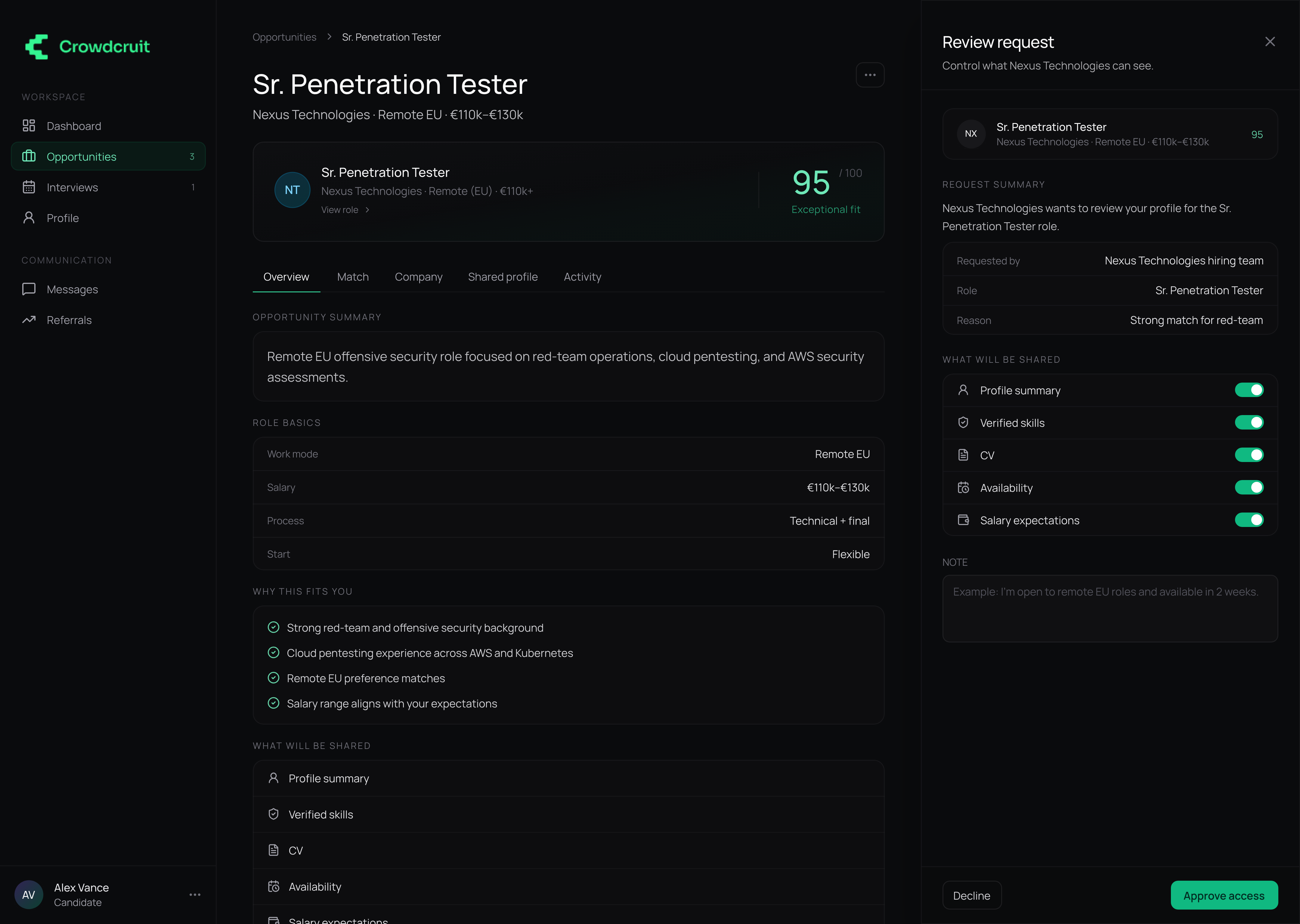
The access review panel makes profile sharing explicit and configurable.
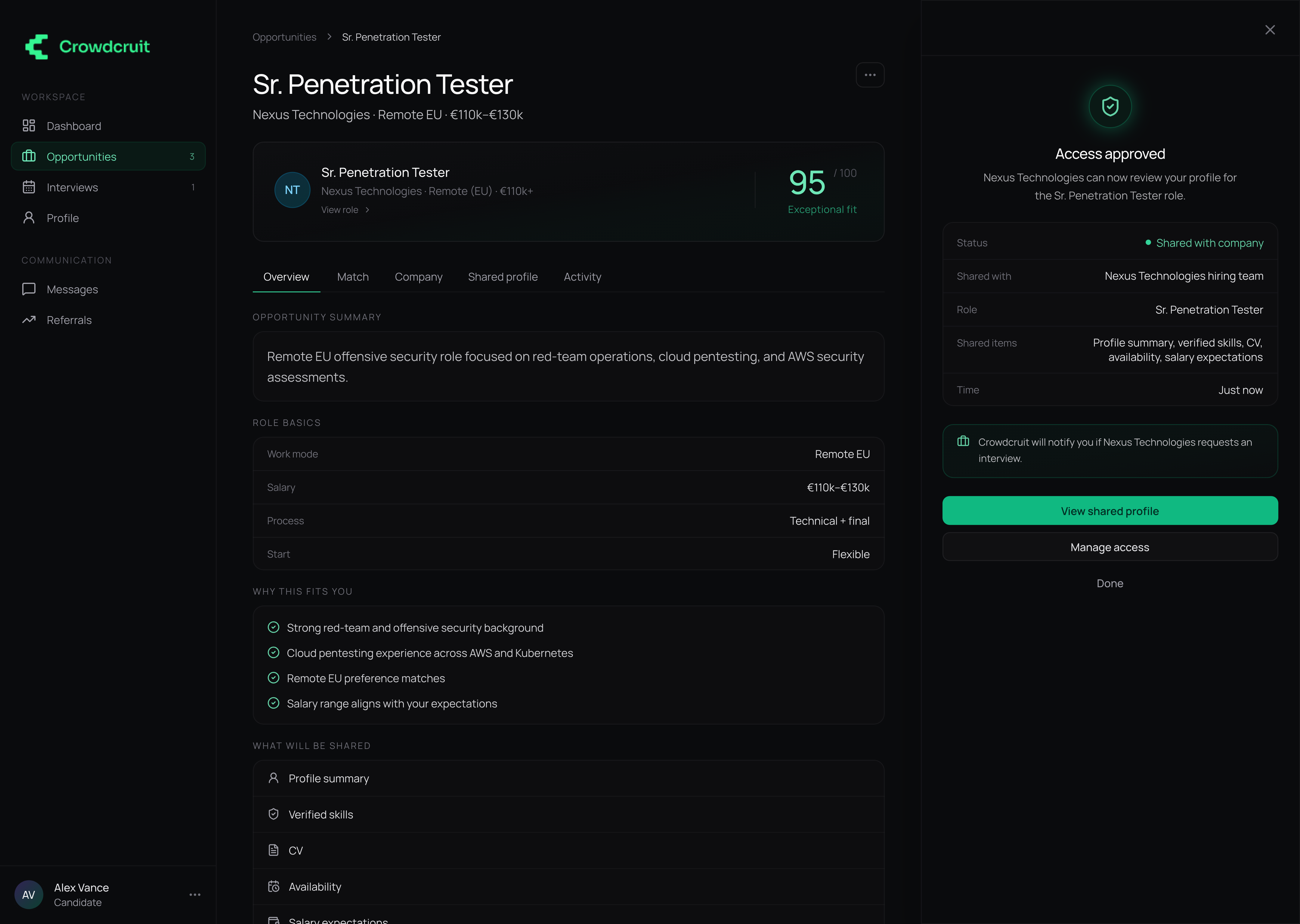
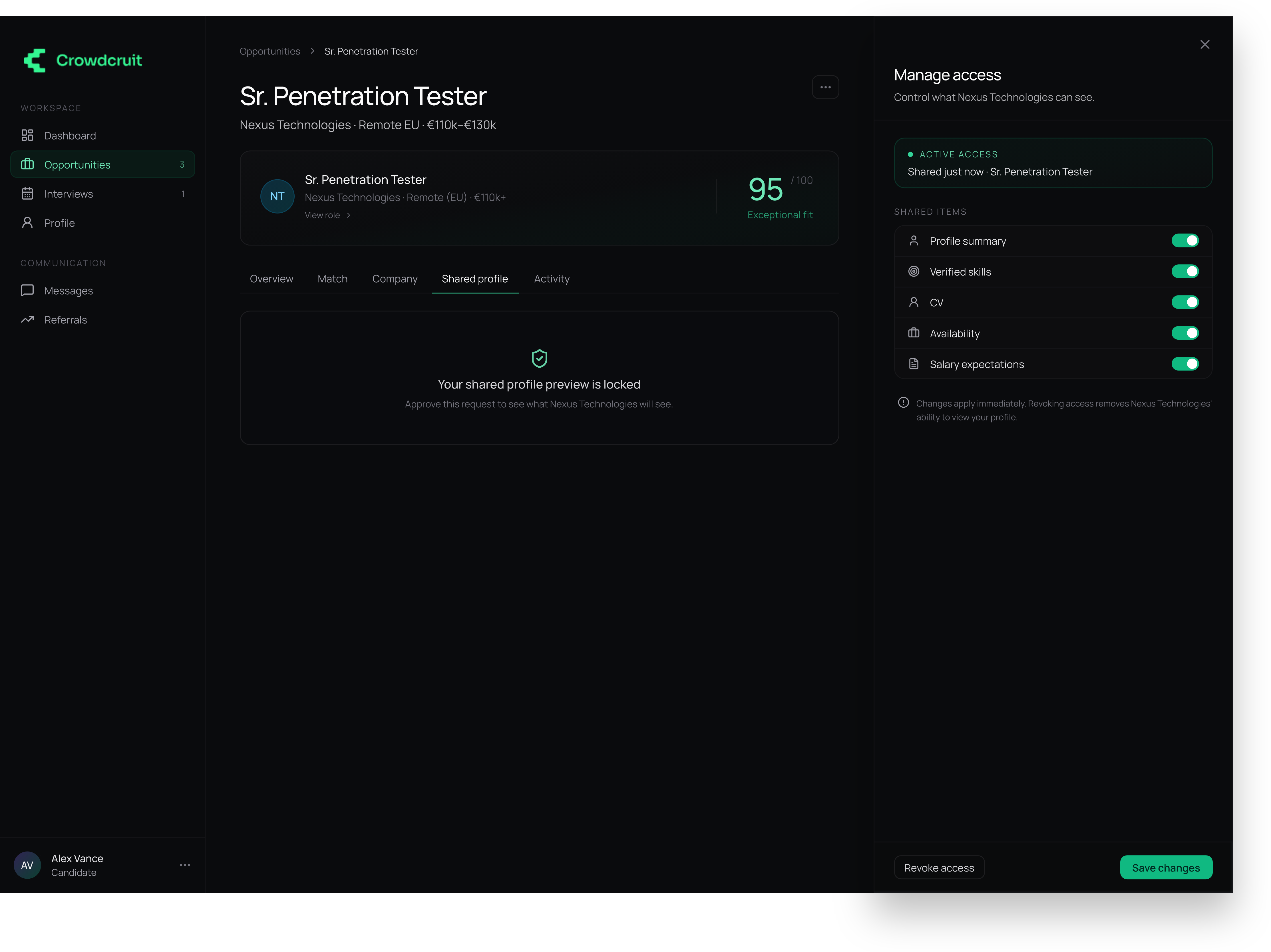
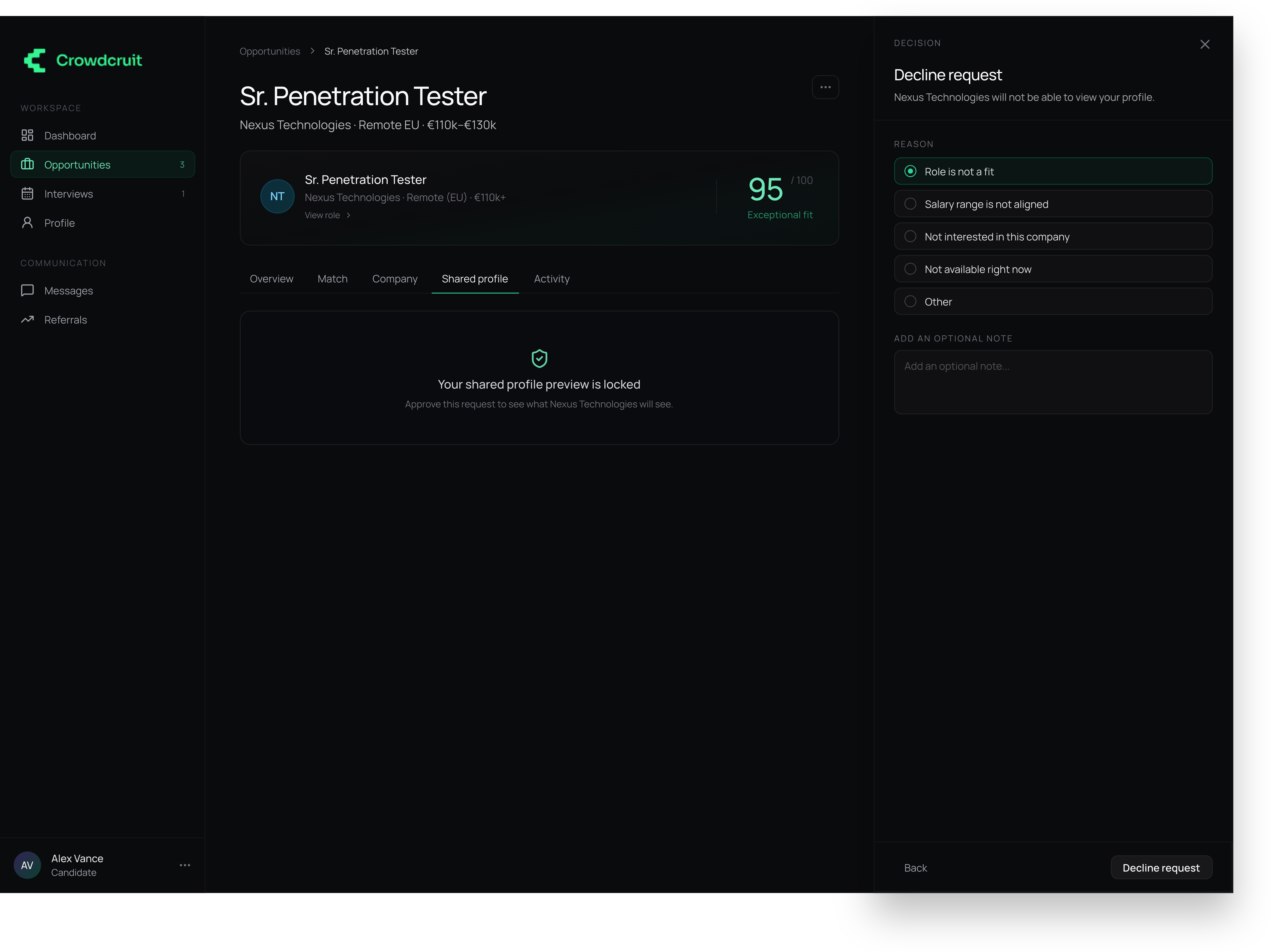
Access is not a one-time decision – the candidate can manage, revoke, or decline it later.
Company workspace
The company side focuses on hiring decisions. Instead of showing a raw database profile, the interface frames each candidate as a proposal for a specific role.
The company receives a focused candidate proposal, not a raw profile.
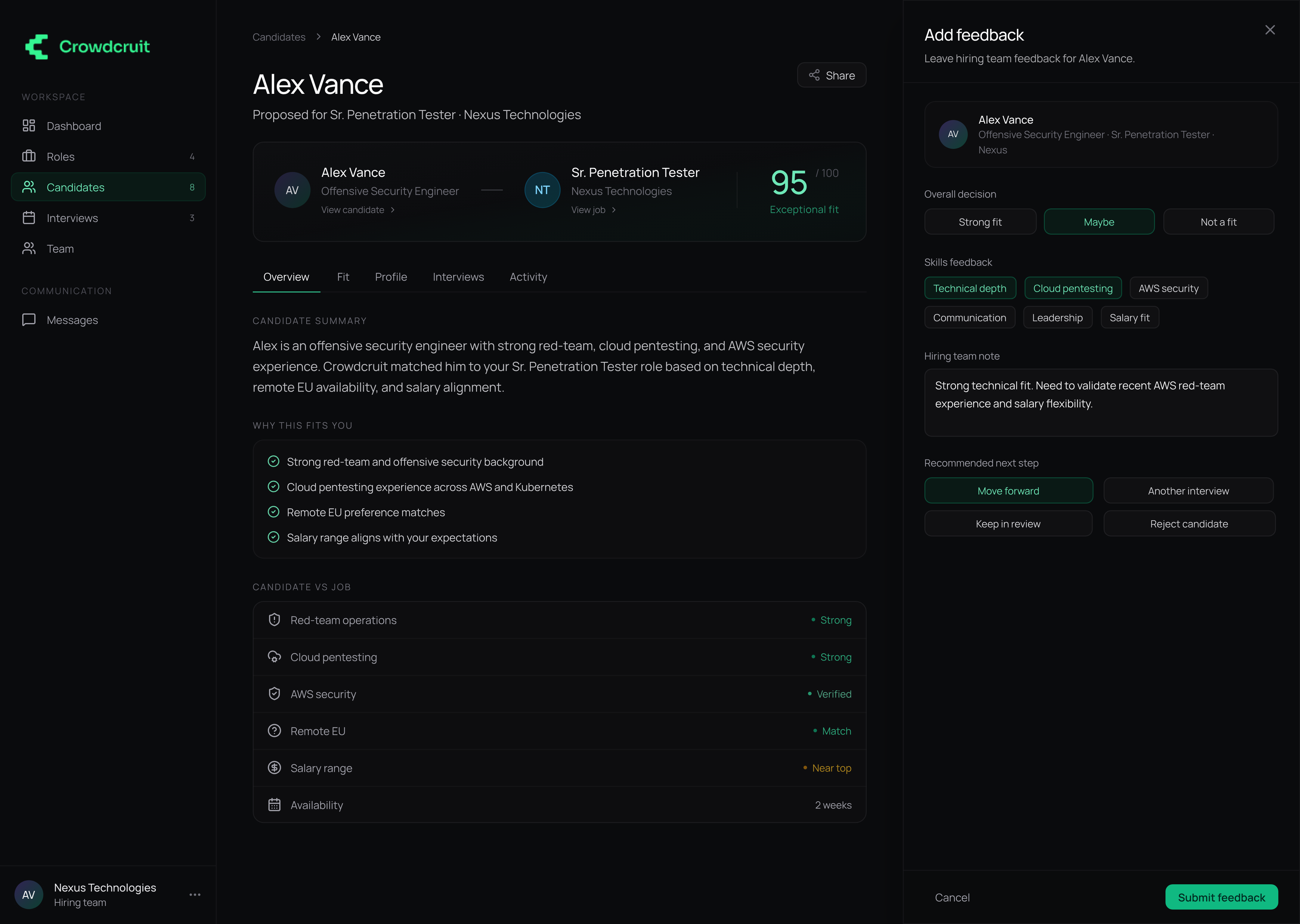
Feedback is structured enough to be useful, but lightweight enough to complete quickly.
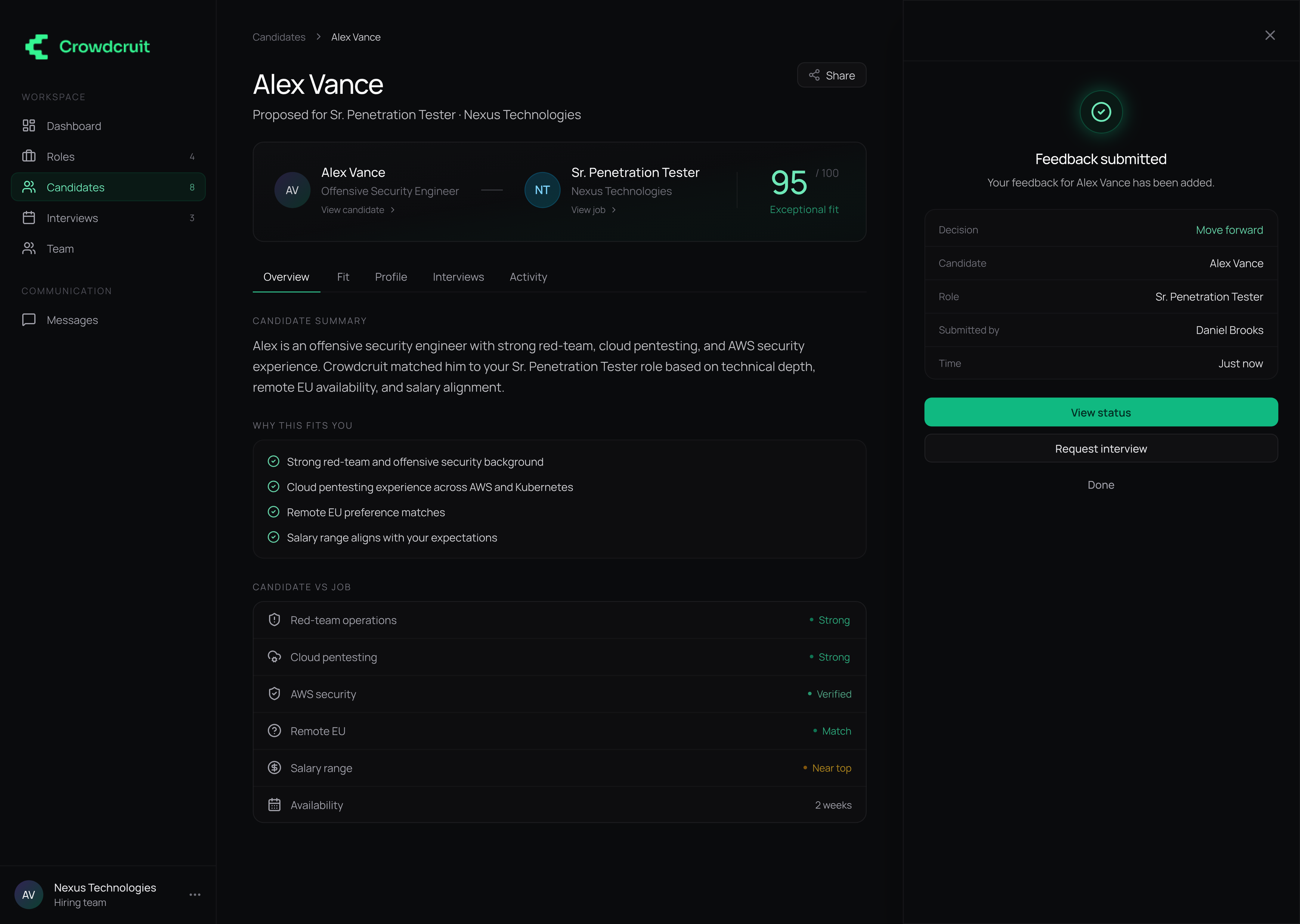
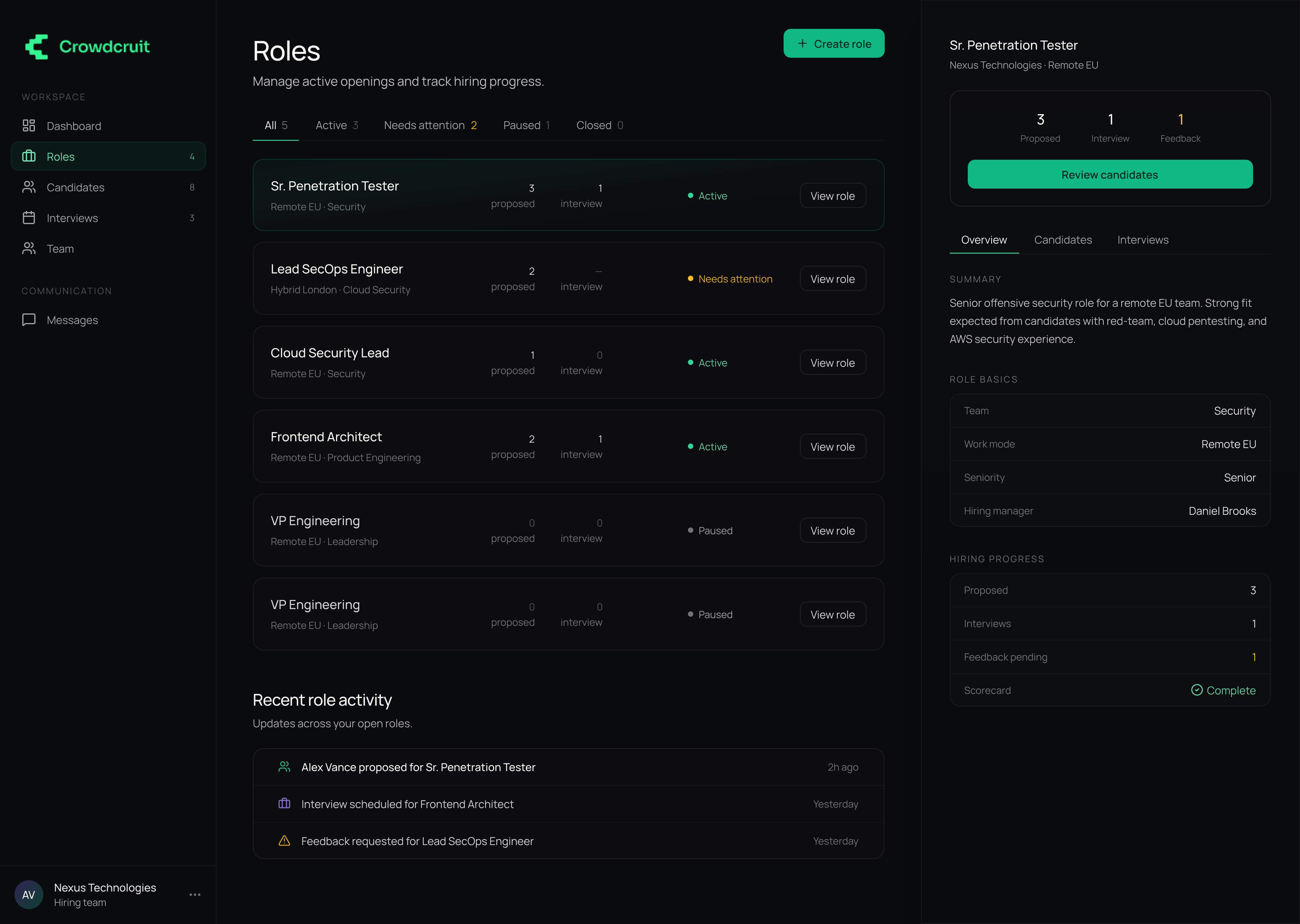
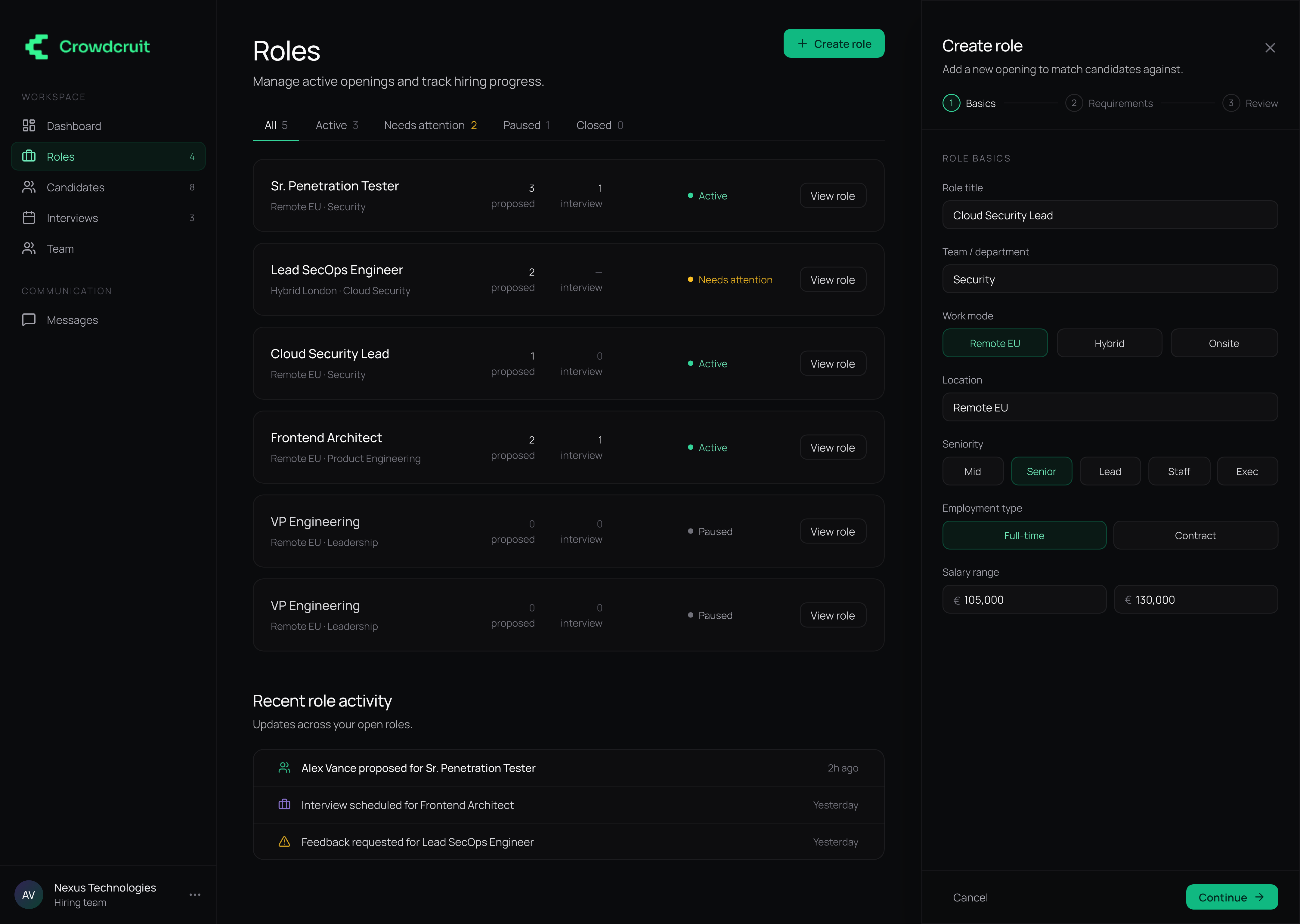
Submitted feedback updates the candidate state. Role management reuses the same right-panel pattern to keep teams in context.
Outcome
The MVP was launched to production and is currently used as a working, revenue-generating product. The final design connected the core workflows across three user roles: recruiters can act on AI-generated matches, candidates can control profile access, and companies can review candidates, request interviews, and submit feedback.
The main design decision was to keep complex workflows inside contextual right-side panels, so users can take action without losing the surrounding context.
As a product design project, Crowdcruit helped define the information architecture, interaction patterns, and visual system for a multi-sided AI hiring product that moved from MVP design into a live product.
Focus
In closing
Crowdcruit shows how AI matching, privacy, and hiring collaboration can work as one connected product system.